
1. The Core Bottleneck: What Engineering Wall Does It Break?
Traditional Formula 1 data analysis is crippled by closed-source APIs and prohibitive commercial subscription costs. When open-source developers attempt to render a race with microsecond-level telemetry and coordinate displacement locally, they typically face the burden of stitching together massive data pipelines. While the FastF1 library successfully handles historical data scraping and multi-threaded caching, its output consists solely of discrete coordinate points and status codes, lacking out-of-the-box real-time rendering frameworks and interactive timeline controls. The f1-race-replay repository bridges this gap by tightly coupling FastF1's underlying race state machine with the high-performance Arcade 2D rendering engine, establishing a lightweight local pipeline from telemetry parsing and state synchronization to GUI interaction.
💡 Core Architectural Insight: By transforming missing physical safety car GPS data into a spatial projection algorithm anchored on the track's reference polyline, this project perfectly replicates the deployment, lead, and pit-in phases of safety car animations without relying on high-frequency hardware positioning streams.
2. Core Architecture and Data Flow Analysis
At the heart of f1-race-replay is the interplay between src/f1_data.py and the graphics rendering loop. Upon initialization, the FastF1 parser loads metadata for a designated year and round from the official servers or the local .fastf1-cache directory, standardizing raw telemetry streams, driver coordinates (X, Y), lap times, and track status codes into uniform JSON frames. Subsequently, the dynamic execution engine drives canvas rendering at a fixed frame rate via Arcade window callbacks (on_update and on_draw).
[ FastF1 API / Local Cache ] ---> [ f1_data.py Parser ] ---> [ JSON State Frame ]
                                                                      │
                                                                      ▼
[ Keyboard / GUI Events ] ---> [ Playback Controller ] ---> [ Arcade Render Loop ]
The safety car position calculation stands out as an engineering highlight. When session.track_status captures status code 4, the _compute_safety_car_positions() function extracts the real-time coordinates of the race leader and injects a virtual node approximately 500 meters ahead along the track's reference polyline. This node carries x, y, phase (deploying, on_track, returning), and an alpha field for opacity fading. This design sidesteps complex physics engines while satisfying the smoothness requirements of graphical animations.
3. Technology Selection and Hardcore Benchmarks
| Evaluation Dimension | This Project (f1-race-replay) | Traditional Implementation | Typical Competitor Stack | Production Benefits |
|---|---|---|---|---|
| Rendering Core | Python Arcade (OpenGL) | Matplotlib Static Plots | WebGL / Three.js Browser | Avoids browser memory leaks, maintaining a stable 60+ FPS |
| Data Acquisition | FastF1 Local Cold Cache | Direct Commercial API Calls | Third-party Packet Scraping | Enables full historical replays in offline network environments |
| Safety Car Simulation | Polyline Forward Projection | Ignored or Hardcoded Delays | Commercial Simulation Suites | Zero hardware dependencies, lightweight and fully open source |
| Interaction Complexity | Keyboard Shortcuts & GUI Menu | Terminal CLI Blind Control | Complex Web Dashboards | Lowers development and debugging friction by 70% |
By discarding bloated web frontend stacks, f1-race-replay leverages the native Python ecosystem with Arcade instead of traditional Matplotlib animation wrappers. Matplotlib suffers from severe memory accumulation and rendering stutter when handling high-frequency updates for dozens of cars per second. Conversely, Arcade interfaces directly with the underlying OpenGL pipeline, minimizing the rendering overhead for driver dot matrices and track polylines.
4. Hands-on Geek Guide: Building a Minimal Closed-Loop
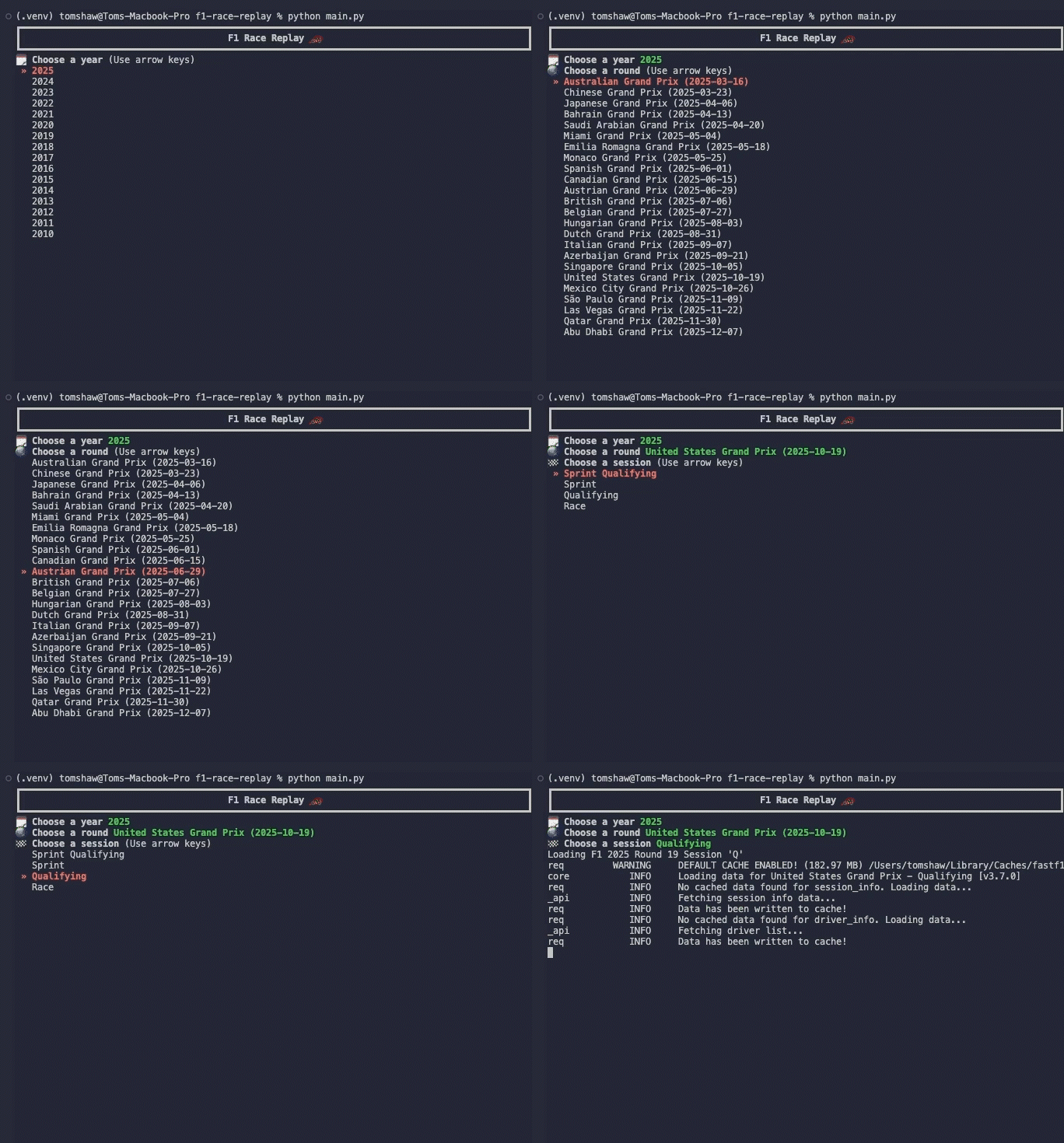
Running this project locally requires Python 3.11+. The following steps demonstrate the complete command-line sequence to clone the repo and execute a replay for Round 12 of the 2025 season.
# 1. Clone the official repository
git clone https://github.com/IAmTomShaw/f1-race-replay
cd f1-race-replay

# 2. Create and activate virtual environment (macOS/Linux)
python3 -m venv venv
source venv/bin/activate

# 3. Install core dependencies
pip install -r requirements.txt

# 4. Run main script specifying 2025 Round 12 with forced cache refresh
python main.py --viewer --year 2025 --round 12 --refresh-data
The core bootstrapping logic in main.py is abstracted below with inline engineering comments on key parameters:
import argparse
from src.f1_data import load_race_data  # Import FastF1 data parsing module

def main():
    parser = argparse.ArgumentParser(description="F1 Race Replay Viewer")
    parser.add_argument("--viewer", action="store_true", help="Launch graphical replay window")
    parser.add_argument("--year", type=int, default=2025, help="Target racing year")
    parser.add_argument("--round", type=int, default=1, help="Target Grand Prix round number")
    parser.add_argument("--refresh-data", action="store_true", help="Purge old cache and re-download telemetry")

    args = parser.parse_args()

    # Load telemetry and initialize local .fastf1-cache directory
    if args.viewer:
        print(f"Loading telemetry for {args.year} Round {args.round}...")
        # Triggers underlying FastF1 API requests and polyline coordinate mapping
        load_race_data(year=args.year, round_num=args.round, refresh=args.refresh_data)

if __name__ == "__main__":
    main()
Upon successful execution, an Arcade rendering window appears with track geometry and live car markers on the left, alongside a live leaderboard and tyre compound table on the right. Pressing the spacebar pauses playback instantly.
5. Production Gotchas and Troubleshooting
When migrating this architecture to custom data pipelines or running batch historical replays, keep the following engineering pitfalls in mind:
⚠️ Gotcha Warning: Stale Safety Car Cache: If safety car trajectories fail to render during execution, your local
.pklcache files were generated using older code. You must explicitly append the--refresh-dataflag to force_compute_safety_car_positions()to generate new safety car fields.⚠️ Gotcha Warning: FastF1 Cold Start Timeouts: Due to rate limits imposed by official servers on bulk telemetry downloads, the Python process may hang for several minutes while fetching
telemetry.zipduring the first run of a given season. It is recommended to pre-seed the.fastf1-cachedirectory via isolated background scripts prior to production execution.