
1. The Core Bottleneck
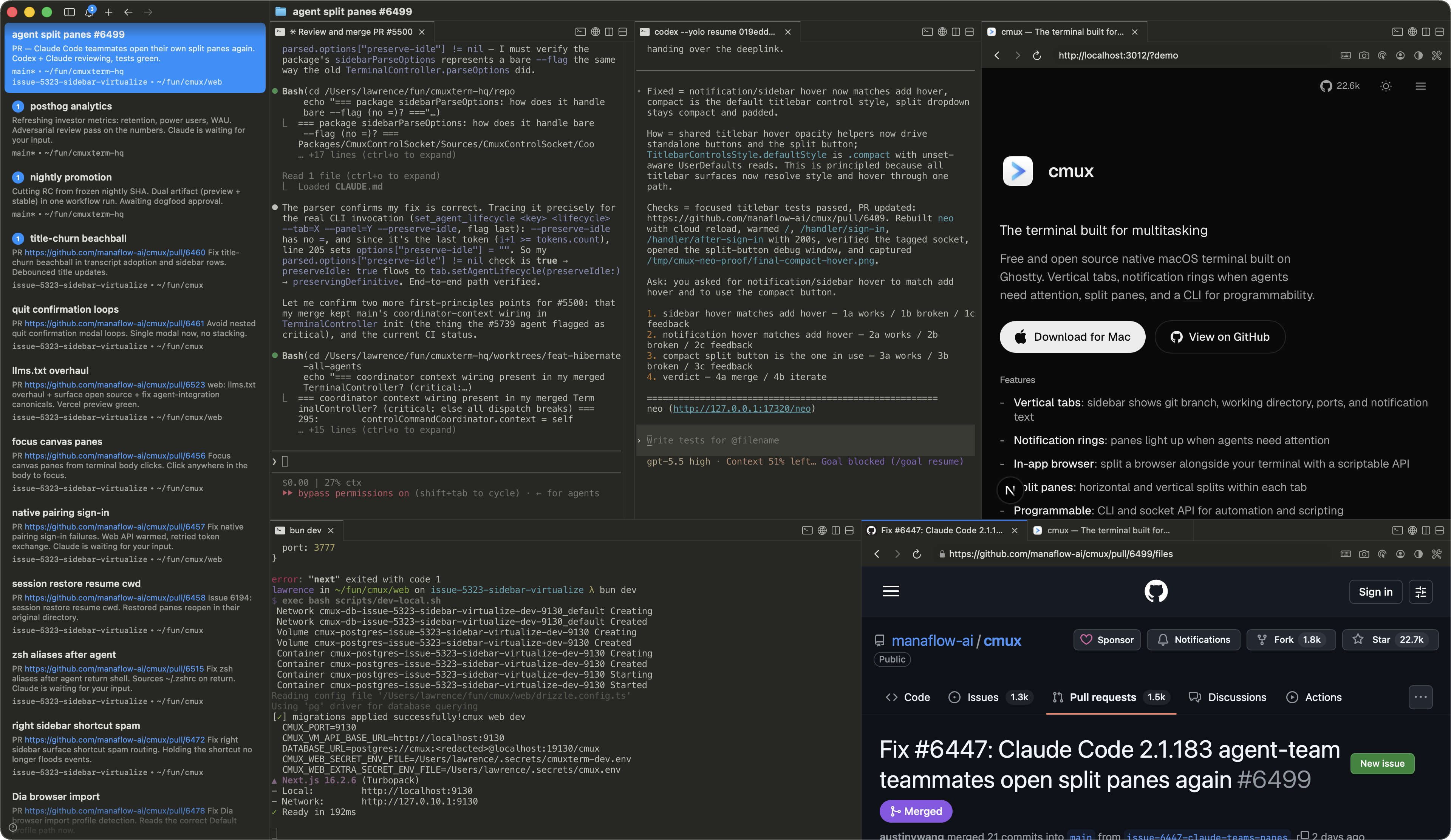
Running multiple Claude Code or coding agent instances in parallel leads to visual chaos. Traditional terminal emulators and Electron-based orchestrators fail to handle high-density agent concurrency, leaving developers blind to which pane is waiting for input. Existing GUI orchestrators lock users into rigid workflows, stripping away native terminal flexibility. cmux solves this by rewriting the terminal host in Swift and AppKit, leveraging the libghostty rendering engine while introducing structured sidebar metadata and visible notification rings.
💡 Architectural Insight: By intercepting OSC sequences in standard input/output and mapping process states to dynamic sidebar UI, cmux transforms passive terminal streams into an active agent control center.
2. Core Architecture & Data Flow
cmux relies on libghostty for terminal rendering. Abandoning memory-heavy web stacks, it uses native macOS window trees. Agent states are captured via OSC (Operating System Command) sequences rather than intrusive plugins. When Claude Code or custom hooks trigger cmux notify, the daemon updates the workspace state machine, rendering a blue notification ring around the target pane and lighting up the sidebar icon.
[ Claude Code / Agent Hooks ] ---> ( OSC 9/9/777 Sequences ) ---> [ cmux Parser Daemon ]
                                                                           │
                                                                           ▼
[ Native macOS App / Swift ] <--- [ Workspace State Machine ] <--- [ Sidebar & Tab UI ]
         │
         ├---> [ libghostty GPU Renderer ]
         └---> [ agent-browser Scriptable API ]
The built-in browser embeds a scriptable API ported from agent-browser. Agents can snapshot accessibility trees, query element refs, click forms, and evaluate JS. Browser panes and terminal panes share local network routing for localhost dev servers without proxy configuration. SSH remote workspaces extend local workflows to remote servers via scp file drops.
3. Tech Stack & Benchmark Comparison
| Dimension | cmux | Traditional (Ghostty + tmux) | Electron/Tauri IDEs | Production Impact |
|---|---|---|---|---|
| Rendering Engine | libghostty (GPU) | libghostty / Terminal | Chromium / Webview | Stable 60fps, zero drop |
| Memory Usage | < 60 MB (Swift Native) | 30 - 50 MB (Raw terminal) | 300 - 800 MB (Multi-proc) | Low battery drain, no OOM |
| Multi-Agent Awareness | Sidebar + OSC Rings | Plain text titles | Custom GUI workflows | Quick identification of blocks |
| Browser Automation | Scriptable API in split | External browser needed | Heavy built-in webview | AI agents interact with local dev |
| Config Inheritance | Reads ~/.config/ghostty/config |
Standalone config | Enclosed config systems | Zero-cost migration |
cmux deliberately avoids web technologies, combining Swift controllers with a GPU rendering core to deliver IDE-level sidebar management while preserving pure Unix terminal muscle memory.
4. Hands-on Guide: Building a Minimal Loop
Install cmux on macOS using Homebrew to automatically manage dependencies and Sparkle updates.
# Add the official tap repository
brew tap manaflow-ai/cmux

# Install the native macOS cask application
brew install --cask cmux
Create an automation script to spin up multi-agent sessions. The following Bash script initializes a workspace and triggers team mode:
#!/usr/bin/env bash
# Strict mode: exit immediately if any command fails
set -euo pipefail

# Verify cmux CLI availability
if ! command -v cmux &> /dev/null; then
    echo "Error: cmux CLI is not installed or not in PATH."
    exit 1
fi

# Launch Claude Code teammate mode via cmux shortcut
# Automatically spawns native splits and binds metadata hooks
cmux claude-teams --workspace "backend-refactor"

# Send initial command to the specific workspace
cmux send --workspace "backend-refactor" --command "omp 'investigate auth module leaks'"
Executing this script establishes the split layout instantly with sidebar metadata reflecting git branches and port bindings.
5. Production Gotchas & Pitfalls
⚠️ Gotcha [macOS Security Quarantine]: Launching unsigned or downloaded apps via DMG/Homebrew triggers system blocks. Navigate to System Settings - Privacy & Security to allow execution, or run
xattr -cr /Applications/cmux.appin your terminal to clear quarantine attributes.⚠️ Gotcha [OSC Sequence Conflicts]: Overusing raw OSC 777 escape sequences inside custom shell prompts conflicts with the cmux notification parser daemon, causing sidebar update latency. Stick to standard OSC 9/99 patterns for reliable notification hooks.