1. The Core Bottleneck: What Engineering Pain Points Does It Pierce?
Modern full-stack development and database operations suffer from severe client-tool fragmentation. Engineers typically run multiple heavyweight desktop applications simultaneously to manage PostgreSQL, Redis, MongoDB, and various cloud-native vector stores. Traditional management software built on Electron architectures constantly consumes gigabytes of physical RAM during multitasking. Meanwhile, integrating large language models into database workflows introduces cumbersome plugin ecosystems and costly API proxy configurations, inflating local automation barriers.
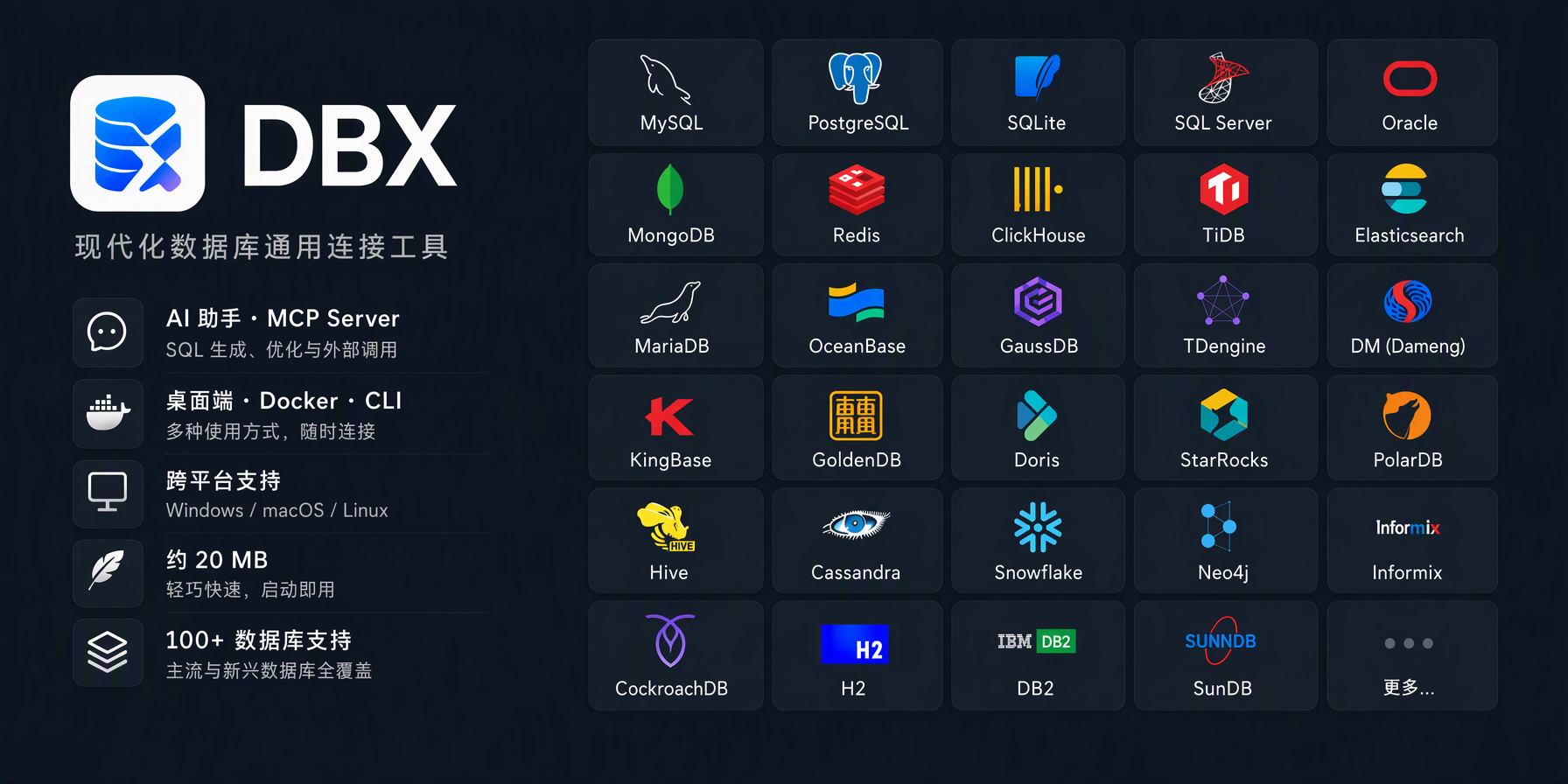
DBX is engineered from scratch in Rust, packing the connection, parsing, and interaction logic of over a hundred databases into a single 25MB binary. It discards bloated runtime frameworks, relying on direct driver bindings and asynchronous I/O polling to achieve a dramatic leap in cold-start speed and memory footprints. The project embeds both an AI assistant and a Model Context Protocol (MCP) server, establishing native operational pipelines between LLMs and underlying data structures at the protocol layer.
💡 Core Architectural Insight: Through zero-cost abstractions in Rust and single-binary distribution, DBX transforms heavy legacy database clients into portable, embedded system components, completely eliminating resource redundancy across toolchains.
2. Core Architecture and Underlying Data Flow
The topology of DBX revolves around a lightweight unified gateway and multi-client on-demand rendering. The core daemon operates on a unified Rust async runtime, interfacing with hundreds of heterogeneous database protocols through a heavily decoupled adapter layer. When queries originate from the desktop client, Docker container, or CLI, requests pass directly to the protocol parser for Abstract Syntax Tree (AST) generation and security boundary validation.
[ Desktop / Docker / CLI ] ---> [ Protocol Gateway & Parser ] ---> [ Unified Adapter Layer ]
                                             │
                                             ▼
                                [ MCP Server & AI Assistant ] ---> [ 100+ Target Databases ]
Within the LLM interaction path, the built-in MCP Server acts as a standardized context injector. Models bypass writing complex database driver glue code, translating natural language directly into deterministic structured queries via the MCP protocol, which the dynamic execution engine dispatches to target databases. This architecture enforces strict sandbox constraints on AI-generated instructions, preventing unbounded table scans and high-risk drop operations.
3. Technology Selection and Hardcore Benchmarks
| Evaluation Dimension | This Solution (dbx) | Legacy Paradigm | Competitor Benchmark | Production ROI |
|---|---|---|---|---|
| Memory Footprint | ~25MB ~ 40MB resident | 300MB ~ 1.5GB (Electron) | 150MB ~ 400MB (Java/JVM) | Minimal host load, zero-stress container multi-instance |
| Distribution Form | Static binary / Slim Docker | Multi-platform bloated installers | Complex dependency chains (Node/Python) | Zero-dependency deployment, second-level CI/CD integration |
| Protocol Support | 100+ relational, NoSQL, time-series, vector | Mainstream 3-5 databases only | 20-50 partial open-source supports | Unified toolchain, elimination of context switching |
| AI Deep Integration | Native MCP server & local assistant | Third-party plugins & proxies | No built-in AI / Expensive commercial licenses | Structured natural language interaction, elevated velocity |
The benchmark data confirms that Rust-based compile-time optimizations and lean dependency management allow DBX to surpass heavyweight Electron and JVM clients in both resource efficiency and expansion scope, freeing engineering teams from toggling between specialized tools.
4. Hands-on Geek Practice: Building a Minimal Loop from Scratch
Deploying DBX CLI and daemon services in production or local workstations requires initializing basic environments or pulling pre-compiled artifacts. The following sequence establishes a minimal closed loop using containerization and direct execution paths.
# Rapidly pull and run the DBX backend gateway and MCP server via Docker
docker run -d \
  --name dbx-server \
  -p 8080:8080 \
  -v dbx_data:/root/.local/share/dbx \
  ghcr.io/t8y2/dbx:latest \
  --bind 0.0.0.0:8080 --mcp-enable

# Configure the local CLI client to target a PostgreSQL instance
dbx connection add \
  --name prod-pg \
  --driver postgres \
  --host 127.0.0.1 \
  --port 5432 \
  --user admin \
  --database main_db

# Verify the AI-assisted natural language query pipeline
dbx query --ai "Show registration timestamps and email prefixes for the last 10 active users"
Executing these commands instantiates a persistent daemon within Docker. The CLI client submits structured payloads via encrypted channels to the daemon, returning high-performance tables or JSON streams containing secure SQL execution results generated by the LLM.
5. Production Deployment Gotchas and Pitfalls
Deploying DBX in production clusters requires a cautious approach to network topologies and resource allocations. The primary bottleneck involves transient connection pool pressure caused by high-intensity MCP concurrent requests.
⚠️ Gotcha Warning [Connection Pool Exhaustion]: When multiple clients concurrently trigger batch natural language retrievals via MCP services, failing to appropriately tune backend database
max_connectionsand DBX connection pool sizes triggerstoo many clients alreadyexceptions. Explicitly set--pool-max-size=20and enable persistent keep-alive flags in startup arguments.
Another critical hidden risk involves memory fragmentation during long-running tasks. Although Rust memory safety guarantees memory integrity, exporting massive datasets or rendering complex ER diagrams can trigger transient memory spikes in desktop environments.
⚠️ Gotcha Warning [Large Result Set Out-Of-Memory]: Avoid loading full data grids directly into desktop views when querying million-row tables without pagination. Enforce streaming cursors via CLI or pagination parameters, and configure a hard safety threshold using
--max-row-limit=5000to prevent single massive queries from crashing local memory.