
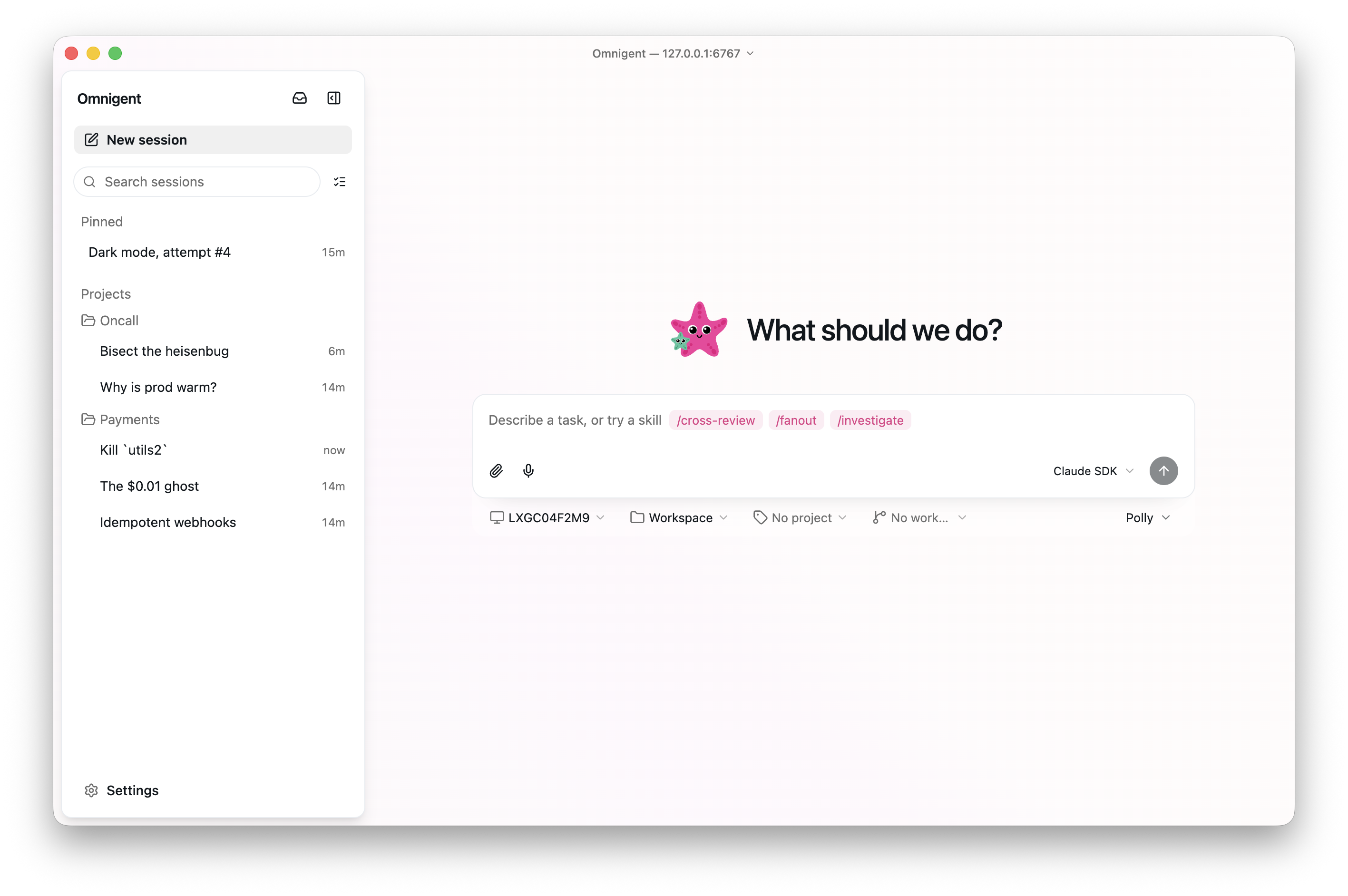
1. The Core Bottleneck
Development teams adopting AI coding agents frequently hit toolchain silos. Claude Code, Cursor, Devin, and custom agents come with incompatible CLI arguments, state models, and context formats. Engineers must juggle multiple terminal windows, losing shared history and preventing cross-agent code reviews. Omnigent shifts multi-agent orchestration down to a unified meta-harness layer, letting heterogeneous agents run inside a single control plane.
💡 Core Architectural Insight: By abstracting protocol-heterogeneous AI agents into standard harness plugin interfaces, Omnigent interposes a standardized message broker and state machine between clients and underlying toolchains, eliminating context fragmentation.
2. Core Architecture & Data Flow Analysis
The Omnigent architecture comprises a unified gateway parser, centralized memory layer, dynamic execution engine, and sandboxing backends. When a client initiates a command via CLI, browser, or desktop app, requests pass through the gateway parser and dispatch to the designated agent processes.
[ Client / CLI ] ---> [ Gateway / Parser ] ---> [ Memory Layer ]
                                 │
                                 ▼
                     [ Dynamic Execution Engine ]
                                 │
       ┌─────────────────────────┴─────────────────────────┐
       ▼                         ▼                         ▼
[ Claude Code ]              [ Cursor ]               [ Custom YAML ]
       │                         │                         │
       └─────────────────────────┬─────────────────────────┘
                                 ▼
                     [ Sandbox Isolation Layer ]
        (Modal / E2B / Daytona / Kubernetes / Bubblewrap)
During state transitions, agent outputs sync in real-time via WebSockets to persistent storage. When users take over sessions from mobile devices or browsers, the server replays the current state tree to the frontend. Linux bubblewrap (bwrap) or macOS seatbelt confines each agent's terminal operations within isolated namespaces, preventing unauthorized file system reads and writes.
3. Technical Selection & Hardcore Benchmark
| Dimension | Omnigent | Traditional Approach | Typical Competitors | Production Benefit |
|---|---|---|---|---|
| Agent Compatibility | Plugin-based support for Claude, Devin, Cursor, Custom | Bound to single vendor SDK or standalone CLI | Single IDE-embedded agent | Prevents vendor lock-in, enables task decomposition |
| Cross-Device Sync | Server-side state sync across terminal, web, mobile | Local terminal or single-machine browser only | Pure cloud SaaS with no local environment access | Monitor and intervene in long-running tasks anywhere |
| Sandbox Isolation | Native integration with 12 cloud sandboxes & bwrap/seatbelt | Bare-metal execution with high privilege leak risk | Restricted Docker containers only | Effectively intercepts dangerous commands & credential leaks |
| Governance & Policy | Global, agent, and session-level spending caps and approval cards | Manual monitoring, no centralized policy | Basic enterprise audit logs | Precise control over token usage and unauthorized actions |
Traditional setups remain trapped in single-machine, single-agent silos. Omnigent introduces a meta-harness concept that converges lifecycle management, policy interception, and multi-client communication without modifying underlying agent binaries.
4. Hands-On Geek Guide: Building a Minimal Closed Loop
Ensure Python 3.12+, Node.js 22 LTS, tmux, and required sandboxing tools are installed on your Linux or macOS environment, then run the bootstrap installer:
# One-line installer for Omnigent core and prerequisite toolchains
curl -fsSL https://raw.githubusercontent.com/omnigent-ai/omnigent-ai/main/scripts/install_oss.sh | sh
For manual installation via uv with specific sandbox integrations, execute:
# Install omnigent via uv with modal and e2b sandbox extras
uv tool install "omnigent[modal,e2b]"
Below is a minimal Python snippet defining a multi-agent configuration and launching a managed server session:
from omnigent import OmnigentServer, AgentConfig, SandboxManager

# Initialize sandbox manager with e2b backend and timeout
sandbox_mgr = SandboxManager(provider="e2b", timeout=3600)

# Define a multi-agent collaborative session configuration
session_config = AgentConfig(
    session_id="sec-ops-01",
    harnesses=["claude", "cursor"],  # Mix mainstream coding harnesses
    sandbox=sandbox_mgr.provision(),
    max_spend_limit_usd=5.0           # Hard token expenditure cap per session
)

if __name__ == "__main__":
    # Start the meta-harness server instance
    server = OmnigentServer(config=session_config)
    print(f"Omnigent meta-harness active. Session ID: {session_config.session_id}")
    server.run(host="127.0.0.1", port=8080)
Access http://127.0.0.1:8080 in your browser to inspect real-time terminal streams and sub-agent interaction cards.
5. Production Gotchas & Avoidance Strategies
⚠️ Gotcha Warning: Missing tmux Dependency: Native
omnigent <harness>terminal wrappers rely heavily ontmuxfor session multiplexing. In stripped-down Docker base images or headless Linux nodes lackingtmux, agent processes will crash instantly. Verify binary existence before deployment.⚠️ Gotcha Warning: Linux Namespace Permissions: When running native terminal wrappers on Linux,
bubblewrap(bwrap) is mandatory. If unprivileged user namespaces are disabled in the kernel or thebwrapbinary is missing, agent terminals will refuse to start. Do not bypass this check in production container environments.