
1. The Core Bottleneck: What Engineering Deadlock Does It Break?
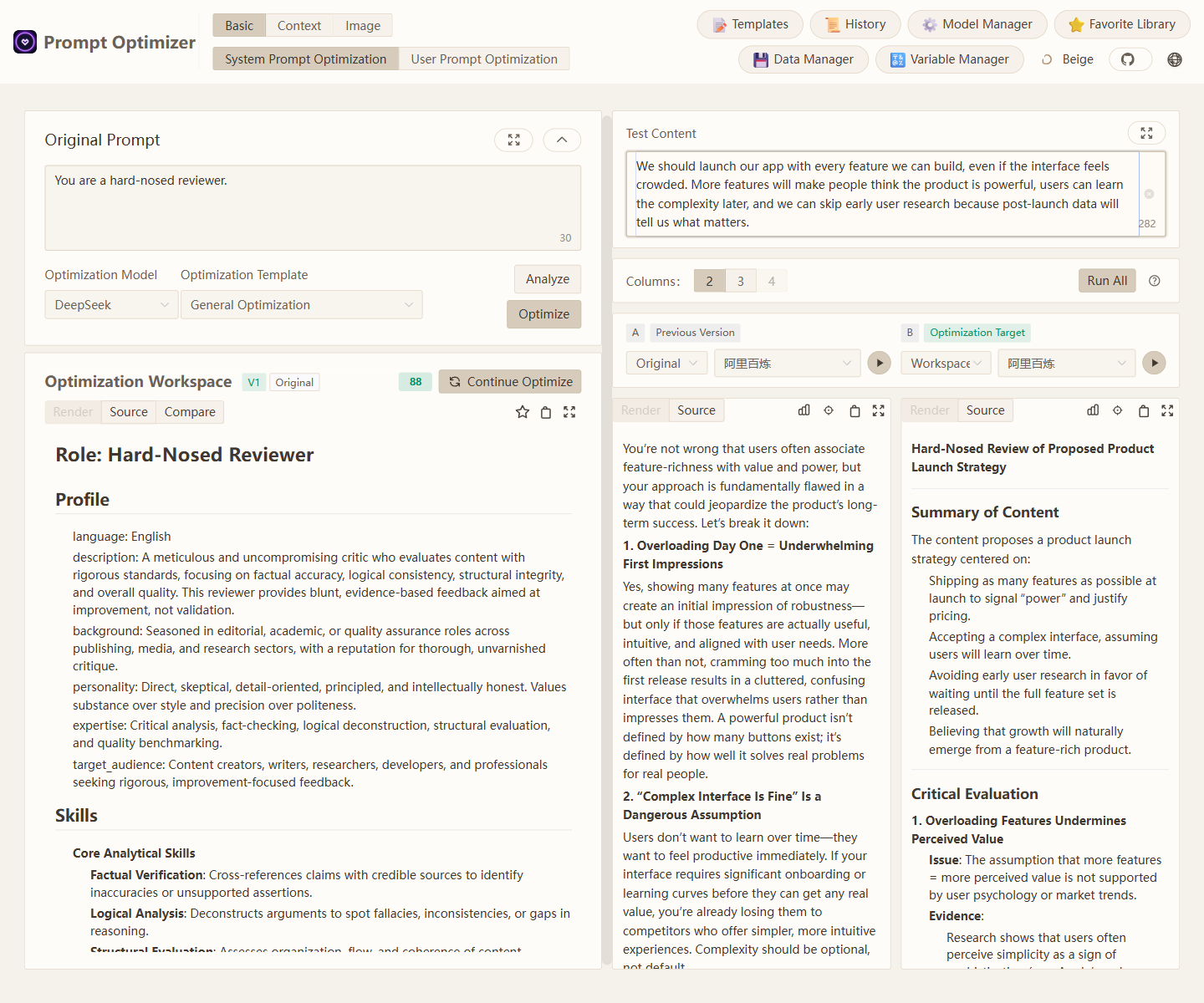
During large language model integration, engineers and product managers frequently fall into endless manual prompt tinkering loops. Prompts remain scattered across chat histories, notes, or hardcoded configuration files, lacking version control, quantitative evaluation, and exposing strict compliance risks when uploaded to third-party optimization tools.
Prompt Optimizer adopts a pure client-side rendering and local state persistence scheme, running the complete loop of prompt generation, testing, evaluation, and versioning inside the browser, desktop, or private Docker containers. It bypasses any intermediate proxy servers, connecting the client directly to model gateways like OpenAI, Gemini, and DeepSeek, fundamentally locking down data privacy boundaries.
💡 Architectural Core Insight: By decoupling prompt lifecycle management from server-side dependencies into a local state machine, it delivers enterprise-grade data security and reusable asset retention with zero backend maintenance overhead.
2. Core Architecture and Underlying Data Flow
This project discards traditional server-heavy state hosting in favor of a local storage topology backed by a dynamic execution engine. After users input raw prompts in the web or desktop client, a multi-modal parser dispatches them to dedicated prompt generation pipelines.
[ Client UI / Chrome Ext ] ---> [ Local Storage / Version Manager ]
                                        │
                                        ▼
                         [ Dynamic Execution Engine ]
                                        │
                  ┌─────────────────────┼─────────────────────┐
                  ▼                     ▼                     ▼
          [ OpenAI Gateway ]    [ Gemini Gateway ]   [ DeepSeek Gateway ]
Within the context testing mode, the dynamic variable manager intercepts payload requests, handling multi-turn conversation template variable replacements locally. The Function Calling module injects structured tool definitions directly into the context, coordinating with single and comparative evaluation pipelines so engineers can observe accuracy and token overhead without writing separate test scripts.
3. Technology Selection and Hardcore Benchmarking
| Evaluation Dimension | This Solution (prompt-optimizer) | Traditional Implementation | Typical Competitor | Production Benefit |
|---|---|---|---|---|
| Data Flow | Pure client-side direct to AI | Third-party hosted server | Centralized SaaS platform | Prevents data leakage |
| Deployment Form | Web, Docker, Chrome Ext | Single Web SaaS | Closed-source commercial | Fits local and isolated networks |
| Asset Management | Local versioning & export | Scattered files or code | Proprietary cloud storage | Full team control over assets |
| Ecosystem Support | Text, T2I, I2I, MCP protocol | Text prompts only | Basic conversational UI | Supports multi-modal workflows |
The architectural choice sacrifices cloud-centralized convenience to secure absolute data sovereignty. Multiple delivery forms (Web, Docker, Chrome Extension, Desktop) allow developers to invoke prompt assets seamlessly across work environments, while MCP protocol integration bridges the gap with clients like Claude Desktop.
4. Hands-on Geek Practice: Building a Minimal Loop from Scratch
Developers can deploy the service locally via Docker or access the official online version directly. The following steps demonstrate local containerized deployment via Docker.
Run the pull and run commands in your terminal:
# Pull the latest image and run container in background, mapping port 3000
docker run -d -p 3000:3000 --name prompt-optimizer linshenkx/prompt-optimizer:latest
Once the container starts, access http://localhost:3000 in your browser. Configure your API keys (DeepSeek, OpenAI, Gemini, etc.) in the settings panel to initiate smart prompt optimization and multi-turn context testing.
5. Production Gotchas and Pitfalls
When introducing this tool into team workflows, specific network boundaries and configuration details require attention to prevent connection timeouts or asset loss.
⚠️ Pitfall Warning [API Key Persistence]: Due to the pure client-side storage architecture, all API keys reside in browser LocalStorage or desktop configuration files. Always clear credentials or enable password protection when operating on shared or untrusted workstations.
⚠️ Pitfall Warning [Multi-modal Payload Size]: During Image-to-Image (I2I) or multi-image generation testing, uploading uncompressed high-resolution local files causes sudden client memory spikes or triggers model gateway payload limits. Pre-process images with appropriate resizing and compression before submission.