
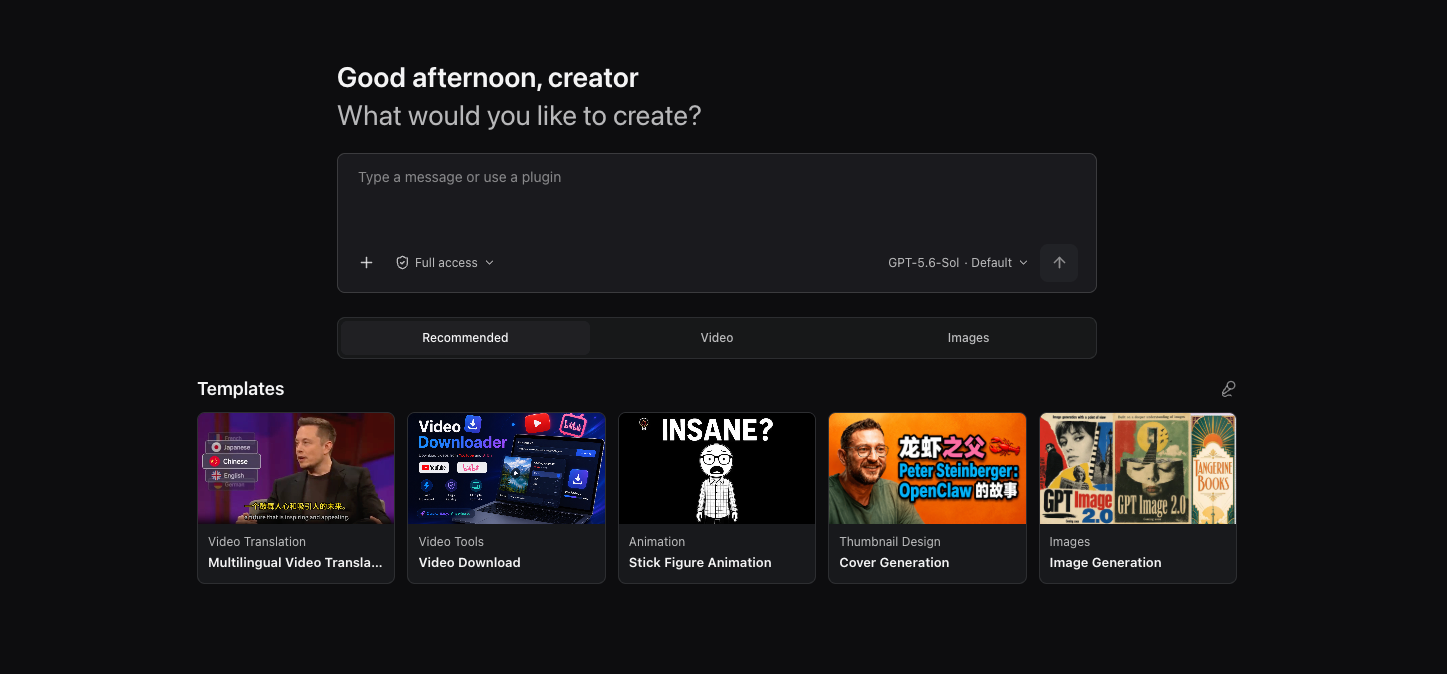
1. The Core Bottleneck: What Engineering Deadlocks Does It Break?
Current AI creator tools generally fall into polarized traps. Web-based SaaS products host user data on third-party clouds, exposing sensitive project files to compliance review risks at any time. Local open-source solutions often degenerate into a pile of scattered scripts, forcing developers to frequently switch between editing software, translation plugins, prompt terminals, and large model chat windows. Contexts fail to interoperate, API keys require repetitive configuration, and multimodal task flows fracture.
OpenCreator abandons the urge to reinvent the wheel. The project directly adopts Codex CLI as its core execution engine, wrapping it with a local Runtime and visual workspace that support the desktop lifecycle. Developers do not need to maintain a second set of Agent loop logic, allowing them to directly reuse existing model routing, conversation state machines, tool calls, and MCP protocol configurations.
💡 Core Architectural Insight: By directly governing a mature CLI runtime environment as the underlying execution backend, OpenCreator seamlessly presses multimodal creator toolchains and Agent orchestration loops into the same local data boundary.
2. Core Architecture and Underlying Data Flow Analysis
The architectural core of OpenCreator lies in single frontend build and dual-mode operation. Web is the sole underlying frontend implementation, while the Electron desktop host is solely responsible for handling OS-specific directory selection, window lifecycle, tray behavior, and native system notifications. Data views and runtime behaviors remain consistent across all platforms.
Underlying data is synchronized between the visual workspace and Agent conversation via a unified state machine. Below is the underlying topology of tasks flowing from client input to the dynamic execution engine:
[ Desktop / Web Client ] ---> [ UI State Machine ] ---> [ Codex Gateway / Parser ]
           │                                                      │
           ▼                                                      ▼
   [ Native OS Layer ]                                 [ Local Runtime / yt-dlp ]
           │                                                      │
           └───────────────────────┬──────────────────────────────┘
                                   ▼
                      [ Memory & Thread Snapshot Layer ]
During underlying execution flow, every revision creates a new version snapshot while preserving earlier configurations and outputs. This design ensures complete reproducibility for multimodal content generation, such as audio track alignment in video translation, subtitle segmentation, and LLM context calibration. Dependency components like yt-dlp are managed by the Runtime, supporting manual updates and automatic rollback upon update failures.
3. Hardcore Technical Selection and Performance Matrix
| Evaluation Dimension | This Solution (OpenCreator) | Traditional SaaS Platforms | Scattered Open-Source Scripts | Production Environment Benefits |
|---|---|---|---|---|
| Execution Engine | Reuses Codex CLI engine | Cloud closed-source scheduling | Independently maintained Python loops | Zero migration cost, inherits mature Agent capabilities and MCP ecosystem |
| Data Security | Local execution, isolated by default | Third-party cloud hosted, leakage risks | Local storage, but lacks unified management | Meets enterprise-level compliance and privacy protection mandates |
| Multimodal Integration | 10+ creator tools natively connected | Fragmented features, expensive pricing | Requires custom glue code for integration | Significantly shortens delivery cycles for video, audio, and text creation |
| Version Control | Auto-generates snapshots on revision | Retains only the final modified state | Relies on manual Git commit management | Supports rapid comparison and precise rollback of multi-version content configurations |
OpenCreator's restraint in selection demonstrates exceptional engineering literacy. It does not attempt to build a closed private ecosystem; instead, it stands on the shoulders of Codex, focusing on solving the last-mile interface and toolchain integration challenges faced by creators deploying locally.
4. Hands-On Geek Practice: Building a Minimal Closed Loop from Scratch
Deploying the OpenCreator development environment locally requires Node.js, Python, and Codex CLI dependencies. Below are the standard steps to start and run the local Runtime from source.
First, clone the repository and install dependencies:
# Clone the official open-source repository
git clone https://github.com/krillinai/OpenCreator.git

# Enter the project root directory
cd OpenCreator

# Install frontend and desktop workspace dependencies
pnpm install

# Initialize the local Codex configuration environment and verify login status
npx codex-cli --init
Write a minimal local invocation script run_workspace.ts to load the default project and trigger multimodal Agent tasks:
import { OpenCreatorRuntime } from '@opencreator/runtime';
import { AgentSession } from '@opencreator/core';

async function bootstrap() {
    // Initialize local runtime, specifying default working directory and log level
    const runtime = new OpenCreatorRuntime({
        workspacePath: './workspace_data',
        logLevel: 'debug',
        enableLocalMemory: true
    });

    await runtime.start();

    // Create an Agent session associated with a specific project
    const session = new AgentSession({
        runtime,
        projectId: 'proj_demo_9527',
        modelProvider: 'codex-native'
    });

    // Submit multimodal creation tasks for video translation and subtitle segmentation
    const taskResult = await session.runTask({
        tool: 'video-translation',
        sourceLanguage: 'en',
        targetLanguages: ['zh', 'ja'],
        inputPath: './assets/sample.mp4',
        outputConfig: { dubbing: true, subtitleStyle: 'bilingual' }
    });

    console.log(`Task completed with run ID: ${taskResult.runId}`);
}

bootstrap().catch(console.error);
Execute the following command to start the development server:
# Start the web frontend and local runtime debugging service
pnpm run dev
Once running successfully, the browser automatically loads the visual dashboard, and the local Runtime monitors the designated project directory in the background while synchronizing state machine data.
5. Production Deployment Gotchas and Avoidance Strategies
When deploying OpenCreator into actual content production pipelines, physical bottlenecks in local computing resources and compatibility boundaries of dependency components must be addressed.
⚠️ Gotcha Warning [Local Whisper and LLM Concurrency Conflict]: When processing long video translation and local speech transcription tasks, opening multiple high-concurrency Agent threads simultaneously can easily trigger instantaneous overload on local CPU cores and GPU VRAM. It is recommended to explicitly limit concurrent threads in the configuration file or offload the Whisper service to dedicated hardware nodes.
⚠️ Gotcha Warning [yt-dlp Automatic Update Failure]: Due to high-frequency changes in anti-scraping strategies across video platforms, the built-in automatic update of yt-dlp within the Runtime may trigger verification failures due to network reasons. When download tasks are interrupted, manually check the execution permissions and version number of yt-dlp in the local
bin/directory, and fall back to offline replacement packages when necessary.