
1. The Core Bottleneck: What Engineering Flaw Does It Break?
Modern software teams face a polarized toolchain. Monolithic SaaS project platforms are bloated, seat-priced, and strip away data ownership, while lightweight kanban boards lack integration with core code pipelines and AI agents. Developers waste significant context-switching manually updating task statuses while writing code.
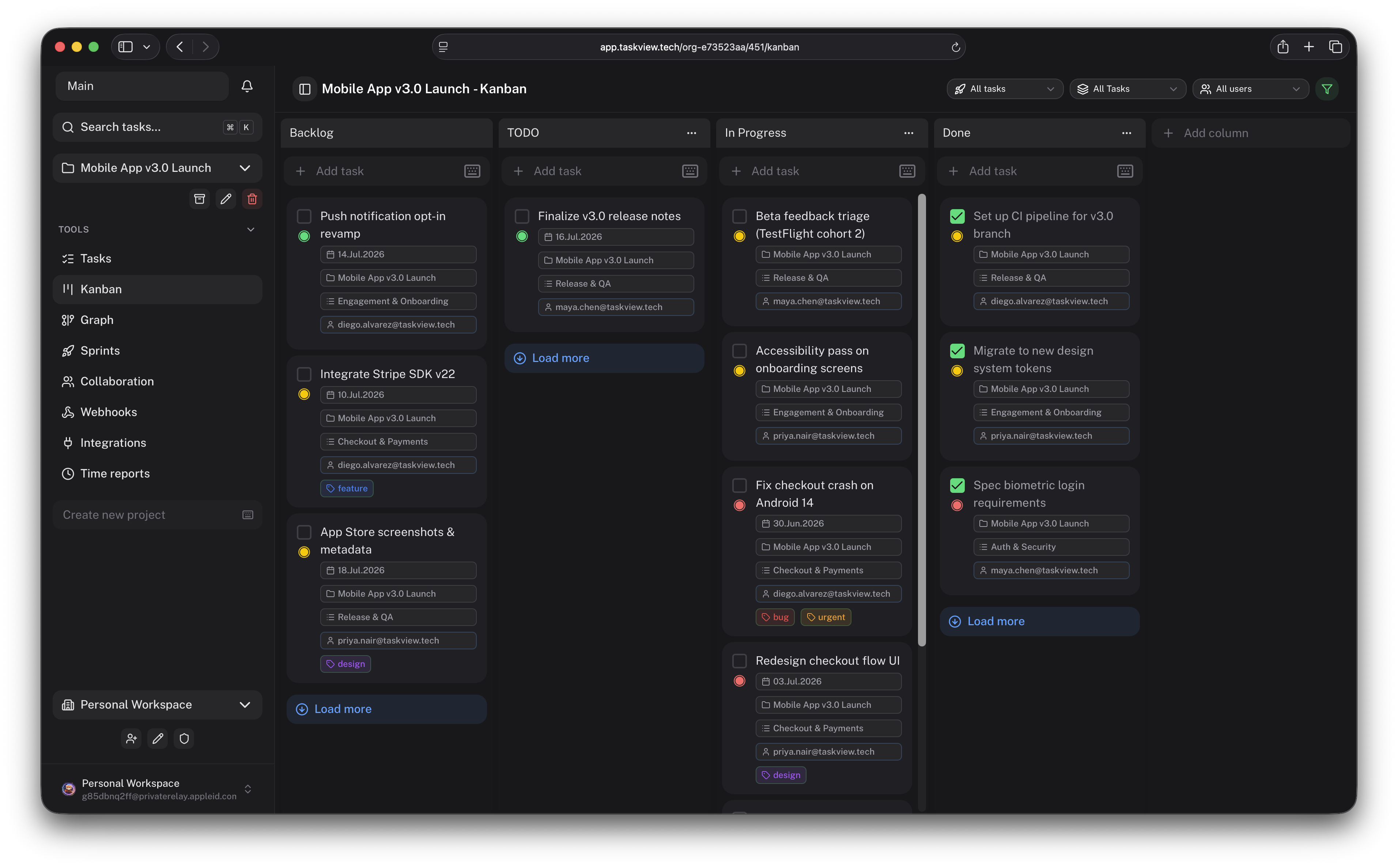
taskview-community introduces a source-available, self-hosted paradigm. It strips away administrative bloat, packing task dependency graphs, time tracking, and granular permissions into a lightweight platform that runs smoothly inside a local Docker container. The paradigm shift lies in pulling AI assistants out of the spectator seat and into the production loop. Through native Model Context Protocol (MCP) support, language models can directly query projects, create subtasks, and drive the task lifecycle, bridging the gap between natural language intent and concrete engineering actions.
💡 Core Architectural Insight: By making the Model Context Protocol a first-class citizen inside the task management backend, taskview-community shifts the operational model from human-maintained boards to AI-driven task lifecycle management.
2. Core Architecture and Data Flow Analysis
Under the hood, taskview-community relies on multi-tenant organizational isolation and fine-scoped token authorization. The system ingests external events through standard HTTP APIs and signed webhooks, while exposing a TypeScript client for client-side applications.
The interaction path with AI tools is managed by the taskview-mcp module, which acts as a standard protocol adapter. It operates via stdio pipes without requiring a heavy persistent daemon process. API token scopes are rigorously validated at the gateway layer, ensuring AI agents only access authorized projects and minimal datasets.
[ AI Agent / Claude Code ] ---> ( stdio / npx ) ---> [ taskview-mcp ]
                                                            │
                                                            ▼
[ Web / Mobile App ] ---> [ Public HTTP API / Webhooks ] ---> [ Auth & Scope Engine ]
                                                                    │
                                                                    ▼
                                                        [ Self-Hosted Core Server ]
The implementation maintains tight module cohesion. Task trees support nested subtasks, custom kanban statuses, and dependency graph analysis, with every state transition fully audited. The time tracking module distinguishes between billable and non-billable hours, generating engineering workload reports for small teams without injecting cloud telemetry.
3. Technology Selection and Hardcore Benchmarks
| Evaluation Dimension | This Solution (taskview-community) | Traditional Enterprise Stack | Typical Competitor Alternative | Production Yield |
|---|---|---|---|---|
| Data Ownership | Self-hosted, 100% data sovereignty | Cloud SaaS, compliance risks | Hybrid cloud with isolated storage | Meets strict data security and privacy audits |
| AI Depth | Native MCP server, zero-middleware connect | Webhook-only or basic Zapier bridges | Closed-source plugins with rate limits | Dramatically lowers custom integration overhead |
| Access Control | Scoped tokens and project-level isolation | Coarse-grained role management | Complex SAML/SCIM locked behind enterprise paywalls | Prevents privilege escalation and protects internal assets |
| Deployment Footprint | Dockerized, minimal resource consumption | Heavy multi-node Kubernetes orchestration | Expensive fixed annual SaaS subscription | Reduces infrastructure expenditure for lean teams |
Benchmarking against alternatives, taskview-community abandons the trap of building all things for all enterprises, focusing instead on daily developer workflows. Through open API clients, TypeScript support, and multi-platform availability (Web, iOS, Android), it bridges lightweight execution with robust extensibility.
4. Hands-on Geek Guide: Building a Minimal Loop from Scratch
Deploying taskview-community and hooking up an AI agent requires a working Node.js runtime and a valid API token. The following steps configure taskview-mcp for use with Claude Code.
Generate an API token scoped to specific projects within your account settings, starting with the tvk_ prefix. There is no need to compile from source locally; use npx to launch the MCP server over stdio.
Update your Claude Code configuration file (such as global ~/.claude.json or project-level .claude/settings.json) to register the taskview server:
{
  "mcpServers": {
    "taskview": {
      "command": "npx",
      "args": [
        "-y",
        "taskview-mcp"
      ],
      "env": {
        "TASKVIEW_API_TOKEN": "tvk_your_generated_token_here",
        "TASKVIEW_API_URL": "https://your-self-hosted-taskview-instance.com/api"
      }
    }
  }
}
Once configured, launch your AI-assisted terminal session to verify the link:
# Launch Claude Code for natural language task inspection
claude

# Issue engineering instructions directly to the AI inside the terminal
> "Find all pending urgent tasks in the current backend refactoring project and assign the first one to Alice"
The expected output involves the AI parsing your instruction, transmitting standard JSON-RPC requests via stdio to taskview-mcp, which authenticates and executes the backend update, printing execution logs back to your terminal in real-time.
5. Production Gotchas and Pitfalls
Moving taskview-community into a production environment requires caution regarding operational and security parameters due to its flexible self-hosted design.
⚠️ Gotcha Warning [Over-Scoped API Tokens]: Never assign a root-level organization token with full administrative privileges to the
taskview-mcpconfiguration. AI agents possess execution capabilities, and an unmitigated prompt injection could expose all project tasks to unauthorized modification.
Solution: Strictly enforce the principle of least privilege. Generate dedicated API tokens bound exclusively to specific projects for each AI client or automation script, and rotate credentials regularly.
⚠️ Gotcha Warning [Lack of Self-Hosted Backup Strategies]: Because data resides entirely under user control, teams often neglect persistent volume backup mechanisms, leading to total data loss during server hardware failures.
Solution: In Docker deployments, always mount underlying storage volumes to high-reliability network block storage (NBS) or managed cloud disks, and schedule automated snapshot scripts for the core database.