
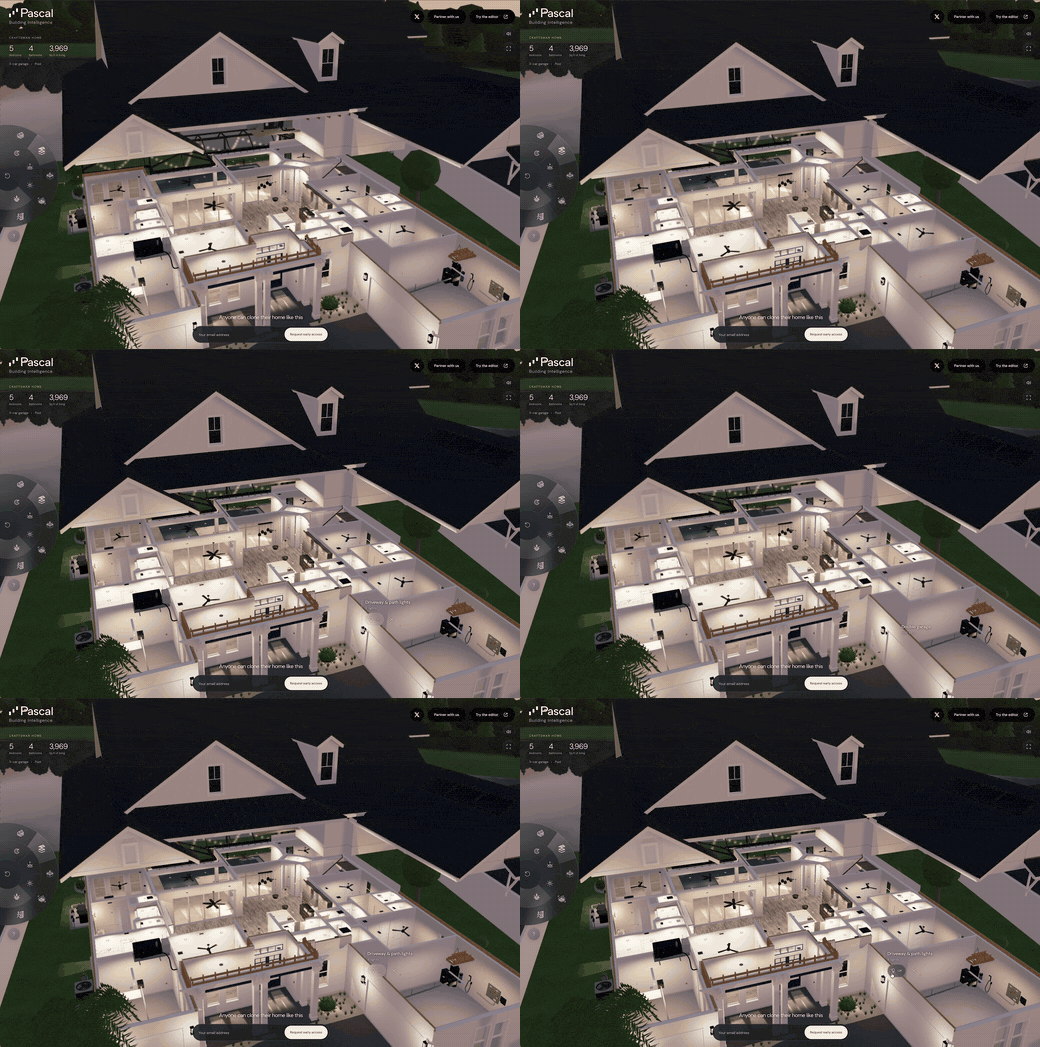
1. The Core Bottleneck: Shattering Engineering Deadlocks
Traditional architectural information modeling and 3D editing tools have long relied on heavy desktop clients or expensive cloud rendering architectures. Browser environments are constrained by JavaScript thread bottlenecks and WebGL state machine overhead, failing to efficiently handle high-precision building geometry, texture maps, and multi-system spatial overlays like piping and HVAC. When developers attempt to integrate AI agents, the lack of unified standard contexts and tool interfaces limits large language models to static text or rigid scripts, preventing direct structural modifications to physical 3D spaces.
The pascalorg/editor repository abandons pure cloud SaaS dogmatism in favor of a local-first architecture. Driven by React Three Fiber for rendering and modern WebGPU graphical pipelines for high throughput, it completes high-density geometry composition and collision calculations directly within the browser and local machine. Simultaneously, the project runs an MCP (Model Context Protocol) service as a local background daemon, enabling Claude Code or custom agents to securely manipulate the local scene database via standardized tool calls.
💡 Core Architecture Insight: By binding WebGPU hardware-accelerated rendering directly with a local MCP protocol layer, the project eliminates the expensive serialization overhead between LLMs and rendering engines typical in traditional 3D collaboration, achieving millisecond-level real-time agent intervention on spatial geometry.
2. Architecture and Underlying Data Flow
The core of the system ties together the local CLI runtime, browser editor, and AI agent through a standardized MCP loop. Users invoke @pascal-app/cli to launch a background daemon locally. This daemon allocates collision-free loopback ports and maintains persistent SQLite state storage at ~/.pascal/data/pascal.db.
[ Claude Code / Agent ] ---> [ MCP Client Connection ] ---> [ Local CLI Service ]
                                                                      │
                                                                      ▼
[ Browser Runtime / WebGPU ] <---> [ Shared Scene State (HTTP/WS) ] <--- [ pascal.db Storage ]
In terms of data persistence and multi-client concurrency, the architecture establishes strict boundaries. When running the local editor, the web runtime downloads once per version and verifies integrity against a cryptographic digest published within the package. The standalone local HTTP runtime shares active scene state between connected clients. If developers need to execute independent concurrent workloads, they must explicitly isolate PASCAL_HOME directories and service processes to avoid database lock contention and scene state pollution.
3. Technology Selection and Hardcore Benchmark Comparison
| Evaluation Dimension | This Solution (editor) | Traditional Paradigm | Typical Competitor | Production Benefit |
|---|---|---|---|---|
| Rendering Pipeline | WebGPU + React Three Fiber | WebGL / CPU Raytracing | Heavy C++ Desktop Client | 3x+ geometric throughput improvement, eliminating large-scale pipeline rendering lag |
| Data Flow | Local-First (SQLite + CLI) | Full Cloud SaaS DB | Hybrid Cloud Sync | Zero asset leakage risk, zero network latency canvas rollbacks |
| AI Interaction Layer | Local MCP Protocol Native | Proprietary API / Scripts | No Native AI Support | Direct atomic tool calls for LLMs to modify 3D geometry properties |
| Distribution & Setup | npx @pascal-app/cli editor |
Complex Container/Build | Multi-GB Desktop Install | Zero repo cloning, instant isolated runtime startup |
| State Isolation | PASCAL_HOME env isolation |
Single Global Conflict | Cloud Account Binding | Multi-project parallel isolation, preventing dirty database writes |
As shown in the comparative breakdown, Pascal Editor discards the heavy baggage slowing down web 3D performance. It avoids flashy cloud collaboration gimmicks to tackle developer pain points: cumbersome local setup, inability for AI to precisely manipulate 3D assets, and heavy model load crashes. WebGPU integration directly benchmarks it against native clients.
4. Hands-on Geek Tutorial: Building the Minimal Loop
Ensure Node.js version 22.13 or newer is installed. There is no need to clone the entire repository; use the official CLI directly to create a persistent local installation and start the service:
# Install the Pascal CLI package globally
npm install --global @pascal-app/cli

# Start the local editor instance and built-in MCP service
npx @pascal-app/cli editor
When executing this command, the CLI automatically assigns non-conflicting loopback ports and persists project data into the local filesystem. Next, configure the MCP plugin and public workflows within your AI agent, such as Claude Code:
# Add the official skill plugin to the marketplace and install 3D and furniture fit workflows
/plugin marketplace add pascalorg/editor
/plugin install pascal-agent-skills@pascal
Verify connection status via /mcp in your terminal. The local pascal mcp connect service will be active, allowing the LLM to directly invoke spatial tools to read building scene geometry and execute layout assessments.
5. Production Gotchas and Troubleshooting
Deploying Pascal Editor into real engineering pipelines or agent workflows requires defending against silent failure modes.
⚠️ Gotcha Warning [Dual MCP Service Collision]: When using Claude Code 2.1.258 or newer, if a user-scoped server was previously configured manually via
pascal mcp setup claudewhile the plugin-provided server is also installed, concurrency race conditions occur. Solution: Before reloading Claude, executeclaude mcp remove --scope user pascalto completely purge manual registrations, ensuring the plugin solely owns the connection lifecycle.⚠️ Gotcha Warning [Multi-Client State Pollution]: By default, the local HTTP runtime shares active scene state across connected clients. Running multiple terminal sessions concurrently for different architecture projects on the same machine interleaves SQLite writes. Solution: For parallel workloads, explicitly isolate services using separate
PASCAL_HOMEdirectory environment variables and distinct service processes.