
1. The Core Bottleneck: Breaking the Commercial Endpoint Monopoly
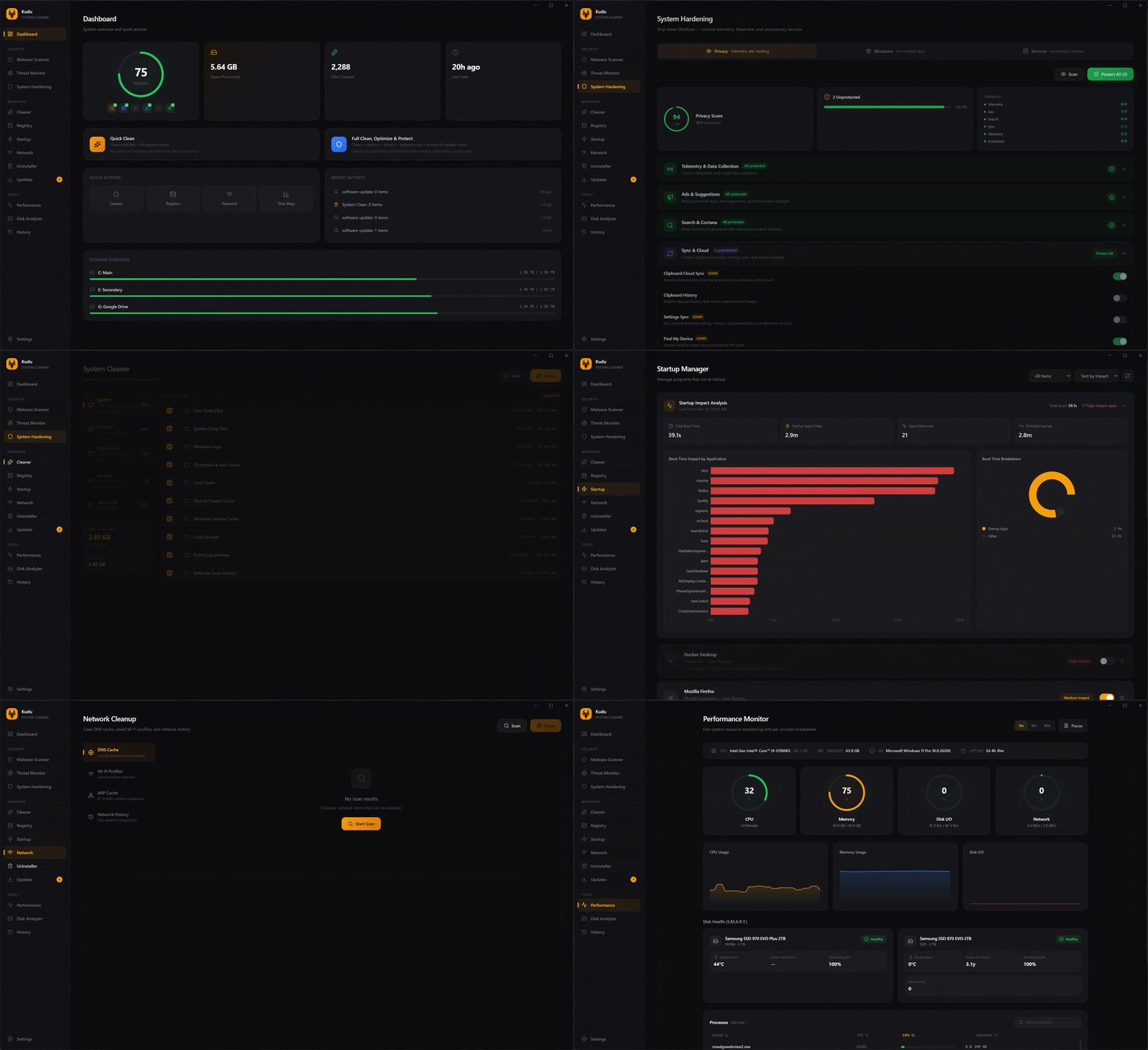
Desktop maintenance utilities have long been dominated by closed-source commercial software. These legacy tools typically run persistent background services, display aggressive pop-up ads, bundle unwanted adware, and coerce users into paid upgrades. They wrap fundamental operating system controls inside proprietary logic while telemetry modules silently harvest user data.
Kudu completely rejects this intrusive paradigm. Built on local execution, zero ads, and zero bundled software, every line of its source code remains fully auditable. Developers can inspect system calls directly, guaranteeing that all file deletions occur transparently on local infrastructure.
💡 Architectural Insight: By abstracting application matching and cleaning logic into declarative JSON rules, Kudu decouples maintenance policies from the execution engine, empowering the open-source community to scale cross-platform application support.
2. Core Architecture and Data Flow Analysis
Kudu runs on a lightweight cross-platform runtime driven by an event-based modular architecture. The task lifecycle divides neatly into discovery, rule matching, user confirmation, and secure purging.
[ CLI / Desktop UI ] ---> [ Rule Parser (JSON) ] ---> [ Path Resolver ]
                                      │
                                      ▼
                         [ Execution Engine & Audit ]
                                      │
                                      ▼
                         [ File System / Registry ]
When a scan initiates, the Rule Parser loads declarative JSON rule sets from disk. The Path Resolver maps these definitions to absolute paths using operating system environment variables, filtering out protected system files within a sandboxed context. The Execution Engine traverses target directories concurrently to maximize I/O throughput while minimizing main-thread blocking.
3. Technology Selection and Performance Benchmarking
| Dimension | This Solution (kudu) | Legacy Paradigm (e.g., CCleaner) | Typical Competitor (BleachBit) | Production Benefits |
|---|---|---|---|---|
| Architecture | Compiled binary + JSON rules | Closed service + cloud telemetry | Python / Complex runtime | Minimal memory footprint & strict privacy |
| Extension Cost | Zero code; write JSON rules only | Source modification & recompilation | Script-dependent environment | Community contribution friction cut by 90%+ |
| Commercial Bias | Pure open source, zero ads | Forced bundling & upgrade pop-ups | Open source but limited extensions | Eliminates bloatware contamination |
| Cross-Platform | Windows / macOS / Linux | Windows-centric design | Linux-first, weak Windows support | Unified multi-OS operations toolchain |
These benchmarks demonstrate that Kudu achieves low resource consumption while resolving the poor extensibility and commercial conflicts plaguing traditional utilities.
4. Hands-on Geek Guide: Building a Minimal Loop
Developers can download prebuilt binaries from GitHub Releases or compile from source. The following example demonstrates deploying the command-line interface (CLI).
# Clone the official Kudu open-source repository
git clone https://github.com/adventdevinc/kudu.git

# Navigate into the project root directory
cd kudu

# Execute a dry-run scan to validate the rule parser status
kudu scan --config ./rules/custom-rule.json --dry-run
Running this dry-run command outputs the target file list and estimated reclaimable disk space without executing actual file deletions, ensuring data safety during testing phases.
5. Production Deployment Pitfalls and Gotchas
Open-source maintenance utilities interact directly with underlying file systems. Improper configurations can trigger severe system-level failures.
⚠️ Gotcha Warning [Rule Wildcard Mis-deletion]: When writing custom JSON rules, never use overly broad wildcards (such as
*or root paths). Failing to strictly constrain relative paths and file extensions risks deleting source code repositories or critical configuration files during automated scans.⚠️ Gotcha Warning [Scheduled Task Concurrency]: When deploying scheduled scans (Cron / Launchd) on Linux and macOS production servers, you must explicitly supply non-interactive flags (such as
--quiet --non-interactive). Otherwise, background tasks will hang waiting for user input and exhaust process handles.