
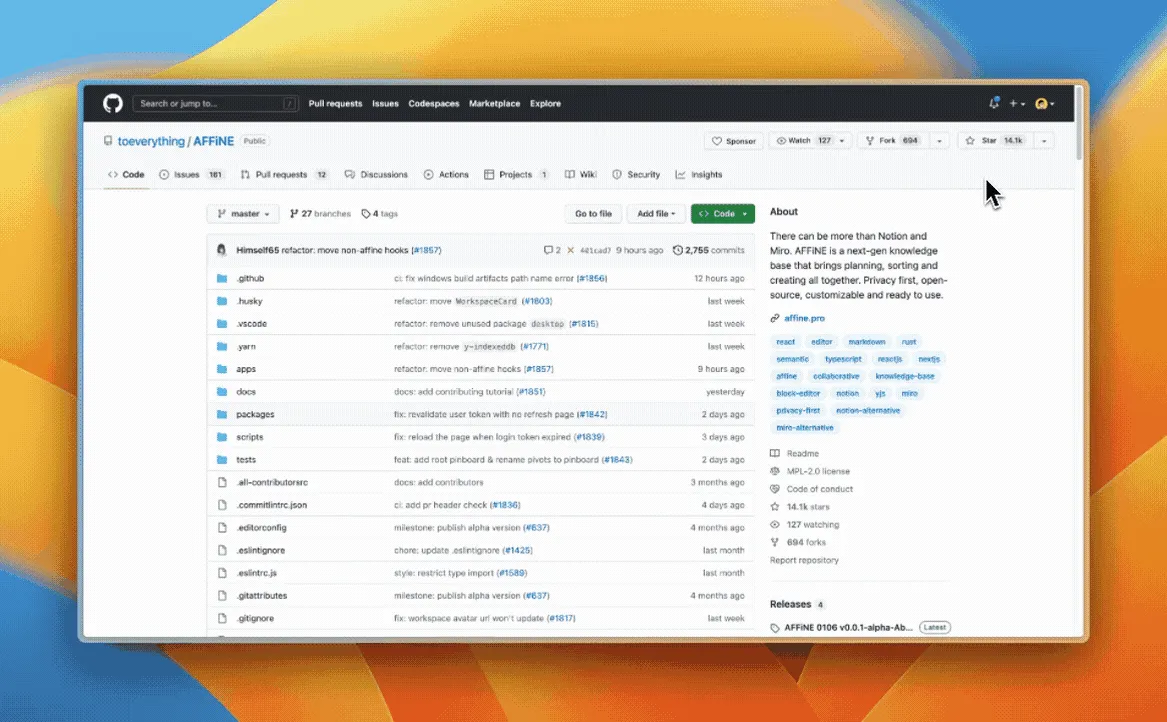
1. The Core Bottleneck: Engineering Failures Addressed
Standard knowledge management tools suffer from severe architectural fragmentation. Developers juggle Notion for structured docs, Miro for system diagrams, and Airtable for task backlogs. This context switching shatters workflows and isolates underlying data models. Worse yet, traditional collaborative tools rely on centralized cloud storage, stripping developers of absolute control over sensitive code snippets and technical assets. AFFiNE discards traditional SaaS monolithic designs by converging docs, whiteboards, tables, and mind maps into a single unified block-based canvas, utilizing a local-first tech stack to persist data directly on local disks.
💡 Architectural Insight: By abstracting all interactions into composable Blocks, AFFiNE eliminates the semantic gap between documents and whiteboards, unifying local-first ownership and real-time collaboration within a single data stream.
2. Core Architecture & Data Flow Breakdown
AFFiNE's core performance stems from its underlying rendering engine, BlockSuite. The system discards traditional monolithic DOM trees in favor of a distributed state machine powered by CRDTs (Conflict-free Replicated Data Types). Upon client initialization, data loads locally from IndexedDB before establishing incremental synchronization pipelines with remote peers via WebSocket or P2P channels. Multimodal AI requests attach directly to active Block tree nodes through independent context gateways, avoiding global serialization overhead.
[ Client Local Disk / IndexedDB ] ---> [ CRDT State Machine Engine ] ---> [ WebSocket Sync Gateway ]
                                              │
                                              ▼
                                [ BlockSuite Render Pipeline ]
                                              │
                                              ▼
                                [ Multimodal AI Engine / LLM ]
Engineering trade-offs are evident in the state flow design. To guarantee zero-latency input, all write operations prioritize local CRDT states, bypassing pessimistic locking in favor of optimistic concurrency control. This architecture keeps main-thread render latency below the 16ms threshold during high-frequency collaborative editing, though it introduces complex merge and garbage collection overhead.
3. Technical Selection & Hardcore Comparison
| Dimension | AFFiNE (This Project) | Traditional Paradigm | Typical Competitor | Production Benefit |
|---|---|---|---|---|
| Data Ownership | Local-First, direct disk | Cloud-hosted, account bound | Closed SaaS, cloud encrypted | Eliminates leaks, offline ready |
| Canvas/Doc Relation | Unified block-mixed canvas | Isolated pages & whiteboards | Page switching, disjointed UX | Eradicates silos, lowers friction |
| Sync Protocol | CRDT distributed sync | WebSocket central server | Centralized locking, high conflicts | Enables rapid concurrent editing |
| Extension System | BlockSuite pluggable architecture | Closed API, hard to customize | Limited third-party marketplace | Allows private custom blocks |
Compared to traditional SaaS architectures, AFFiNE returns primary data ownership to users while maintaining real-time collaboration. Against static Markdown editors, its dynamic block layout and multimodal AI integration raise the engineering ceiling for technical team knowledge bases.
4. Hands-on Guide: Building a Minimal Closed Loop
Deploying and running the AFFiNE open-source repository requires a standard frontend engineering environment. Official Docker Compose configurations provide out-of-the-box orchestration backed by PostgreSQL for metadata persistence. Follow these steps to clone and launch the local dev environment.
# Clone the official core repository
git clone https://github.com/toeverything/AFFiNE.git

# Navigate into the project root
cd AFFiNE

# Install core dependencies using yarn monorepo management
yarn install

# Initialize local environment variables
cp .env.example .env

# Start the local development server and debug ports
yarn dev
Upon successful execution, the Vite development server boots up locally. Accessing http://localhost:3000 loads the full workspace powered by the BlockSuite rendering engine, allowing developers to test whiteboard interleaving, offline storage, and basic AI features directly in the browser.
5. Production Deployment Gotchas & Mitigations
Self-hosting AFFiNE in production requires specific configuration adjustments. Because local-first architectures consume substantial local memory during large-scale offline synchronization, deploying on low-spec hardware easily triggers OOM errors.
⚠️ Gotcha Warning [IndexedDB Bloat]: Embedding high-resolution screenshots, web pages, or long text streams causes client IndexedDB storage to expand unchecked. The solution is implementing a periodic garbage collection strategy at the application layer to compress and archive historical obsolete block snapshots.
⚠️ Gotcha Warning [WebSocket Connection Storms]: High-frequency collaborative editing across a self-hosted cluster quickly exhausts file descriptors on backend proxies. Production environments must configure appropriate keepalive timeouts and connection pool limits on Nginx or Traefik frontends.
Production architects must closely monitor CRDT sync queue backlogs and properly plan database write frequencies to ensure throughput stability under heavy concurrent load.