
1. The Core Bottleneck: What Engineering Deadlock Does It Break?
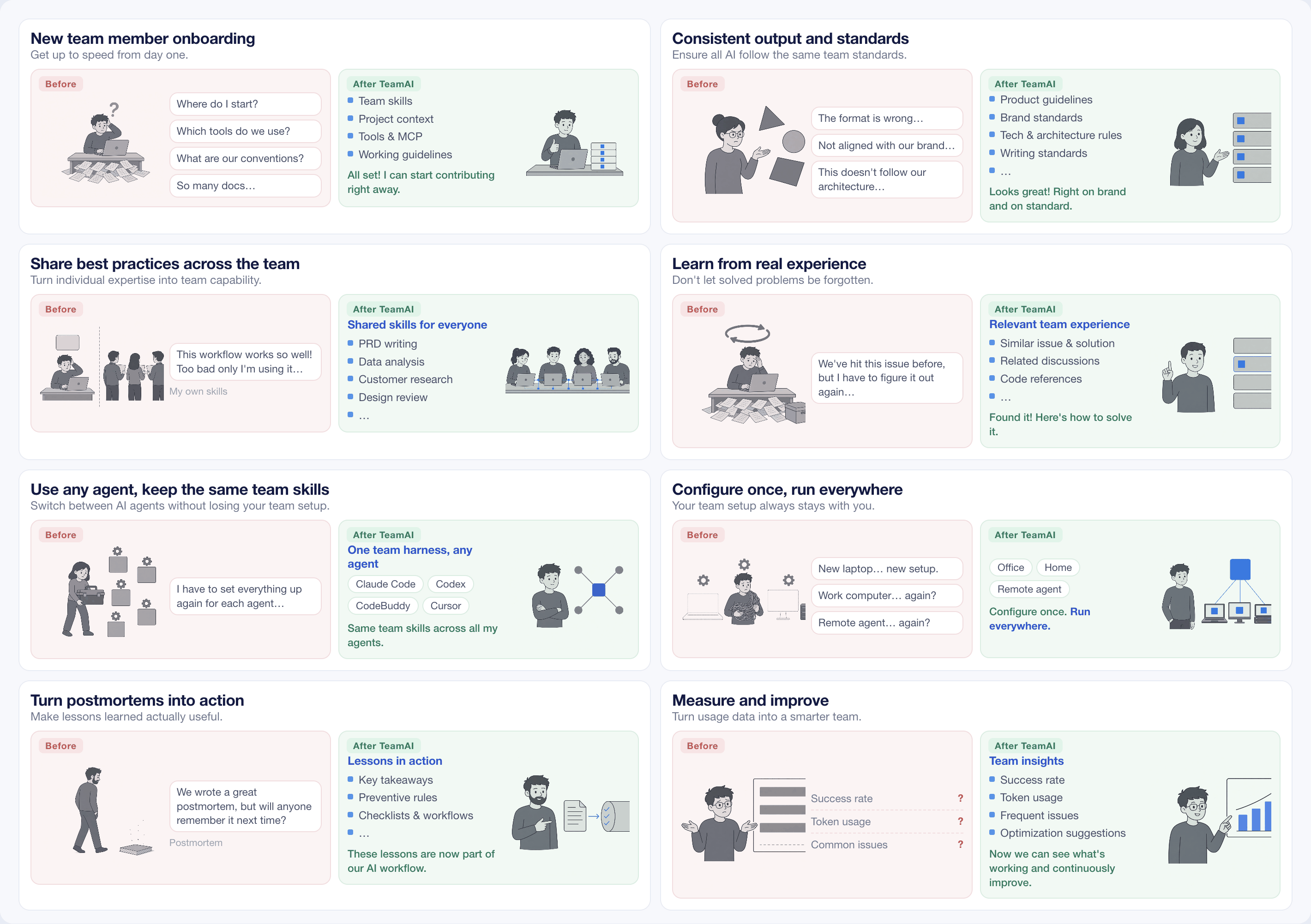
When engineering teams adopt AI coding assistants, they inevitably encounter asset fragmentation. Every developer's local workspace accumulates scattered prompts, private MCP service configurations, unaligned coding conventions, and varying versions of agent scripts. When onboarding new hires or aligning engineering practices, team leads are forced to rely on static documentation or tribal knowledge, resulting in highly inconsistent AI outputs.
Tencent/teamai-cli addresses this problem directly. It consolidates all team-level AI runtime assets—including skills, rules, agents, mcp, and models—into a single Git repository. Once developers initialize or clone the repository, their local environments automatically synchronize with the remote source, eliminating behavioral drift caused by local configuration discrepancies.
💡 Architectural Insight: Treat Git as the single source of truth for team AI assets, using a standardized CLI to seamlessly inject remote Harness configurations into the runtime environments of local AI agents.
2. Core Architecture and Data Flow Analysis
The underlying design of teamai-cli centers around the Git protocol. It avoids independent centralized SaaS backends by parasitically leveraging existing Git hosting services. The system parses the directory structure of the remote repository and maps skills and rules to the precise file-system paths required by different agents.
[ Git Remote Repo ] ---> [ teamai-cli Sync Engine ] ---> [ Local Config / ~/.teamai ]
                                     │
                                     ▼
                         [ Agent Runtime Layer ]
                         ├── Claude Code
                         ├── Cursor
                         └── GitHub Copilot CLI
Data flows outward from the remote Git repository. After an administrator pushes a new skill or updates rules in the shared repository, local team members trigger updates through interactive CLI commands or IDE-integrated agents, causing the CLI to pull changes and compile them into their respective host environments. This design guarantees consistent engineering standards across the team without altering existing developer workflows.
3. Technology Selection and Hardcore Benchmarking
| Evaluation Dimension | This Solution (teamai-cli) | Traditional Paradigm | Typical Competitor | Production Benefit |
|---|---|---|---|---|
| Asset Hosting | Native Git repository | Local docs or Wiki copies | Closed SaaS platforms | Zero new infrastructure cost; reuses existing Git permissions |
| Sync Mechanism | CLI or Agent auto-pull | Manual downloads | API polling | Eliminates human error and ensures real-time team alignment |
| Ecosystem Support | Claude Code, Cursor, Copilot | Single IDE binding | Single agent runtime | Unified cross-agent management without vendor lock-in |
| Data Sovereignty | Fully self-hosted and controlled | Scattered local files | Sensitive assets on third-party cloud | Meets enterprise security and compliance standards |
The comparative breakdown demonstrates that teamai-cli avoids introducing additional centralized server components. By driving existing Git infrastructure, it achieves cross-agent asset sharing while maintaining minimal operational complexity.
4. Hands-On Geek Guide: Building the Minimal Loop from Scratch
Deploying teamai-cli in a production or local development environment requires a pre-installed Node.js runtime.
# Install teamai-cli globally
npm install -g teamai-cli

# Navigate to your target project directory
cd /path/to/my-project

# Initialize the team AI asset repository (using project scope as default)
teamai init https://github.com/your-org/your-team-ai-repo
After initialization, team members can interact with shared assets inside any supported AI chat interface or agent tool by invoking built-in slash commands. For instance, executing the join command connects the local runtime:
/teamai Help me join my team's TeamAI, repo URL is https://github.com/your-org/your-team-ai-repo
The system automatically establishes local linkages and mounts remote rules and MCP configurations into the corresponding environment variables and configuration files.
5. Production Gotchas and Mitigation Strategies
Architects integrating teamai-cli into production engineering teams must account for several operational risks:
⚠️ Gotcha Warning: Remote Merge Conflicts: When multiple administrators simultaneously push conflicting skill or rule updates to the shared AI repository, Git-level merge conflicts can occur. Enforce branch protection rules on the shared AI repository and establish a formal Pull Request review workflow to prevent corrupted data from polluting the entire team's agent runtime.
⚠️ Gotcha Warning: Incorrect Scope Selection: The default
projectscope binds assets to the current codebase directory, meaning frequent branch switches or workspace purges can wipe local caches. For global, cross-project sharing across a workstation, explicitly append the--scope userflag during initialization to target the user home directory.
Through disciplined Git permission management and proper scope allocation, teams can rapidly establish standardized, uniform, and evolvable AI coding infrastructure.