
1. The Core Bottleneck: What Engineering Dead Ends Does It Smash?
Large language models, particularly Mixture-of-Experts (MoE) architectures, boast hundreds of billions of parameters. Running them traditionally demands clusters of enterprise-grade GPUs. For solo developers, independent makers, and edge computing scenarios, physical memory and VRAM capacity form an insurmountable hardware wall. Prohibitive procurement costs force developers to rely entirely on cloud APIs, sacrificing data privacy and offline operational capabilities.
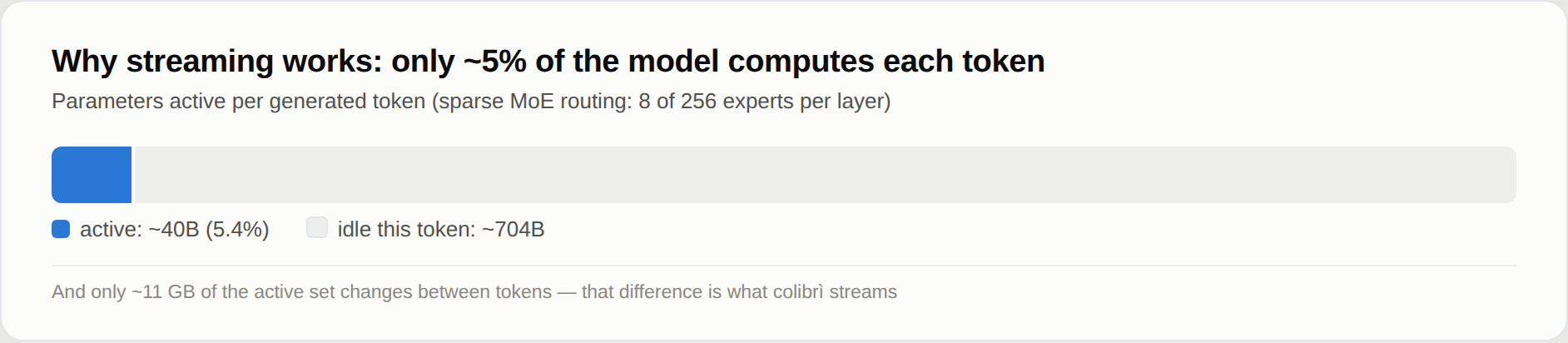
colibri alters this resource allocation logic. Rather than optimizing bloated VRAM residency schemes, it re-evaluates the computational sparsity of MoE models. Since each forward pass activates only a fraction of the expert networks, stuffing the entire model into RAM is redundant. It decouples the static, memory-resident routing layer from the dynamic, on-demand loaded expert weights, bypassing heavy Python interpreters and framework stacks to implement precise random access to disk files via pure C. This design drops the hardware threshold for running massive models down to consumer-grade laptops.
💡 Architectural Insight: By closely coupling MoE sparse activation characteristics with OS-level file seeking, colibri transforms memory bandwidth bottlenecks into manageable disk IO pipelines.
2. Low-Level Architecture and Data Flow Analysis
colibri's core runtime is written entirely in C, utilizing a single-source-file architecture per model family. Upon startup, the bootstrap script inspects the host CPU instruction set, available RAM capacity, and disk types, automatically compiling or matching the appropriate backend driver (CPU, Vulkan, or CUDA).
Data flow within the system follows a minimalist pipeline topology. Client requests enter through the built-in HTTP server (compatible with OpenAI and Anthropic API formats) or the local CLI. After lightweight gateway parsing, requests hit the execution engine. The engine computes routing distribution in memory to identify expert indices triggered by the current token, then issues low-level system calls directly to the operating system to read corresponding expert weights from specific disk offsets.
[ Client / CLI ] ---> [ HTTP Gateway / API Parser ] ---> [ Routing & Memory Layer ]
                                                                │
                                                                ▼
[ OS Disk Storage ] <--- (On-demand File Seek) <--- [ Dynamic Execution Engine ]
In terms of engineering trade-offs, this architecture maximizes random read performance on disk. To prevent latency avalanches caused by frequent disk seeking, the engine maintains a primary expert cache layer in memory. When spatial-temporal locality takes effect, consecutive tokens hit the cache, completely bypassing disk IO. This hardware-software co-design eliminates the extra overhead introduced by multi-layer abstractions in traditional frameworks.
3. Technology Selection and Hardcore Performance Benchmarking
| Dimension | This Solution (colibri) | Traditional Paradigm (vLLM / Ollama) | Typical Cloud API | Production ROI |
|---|---|---|---|---|
| Hardware Baseline | 8GB RAM, no mandatory GPU | High-capacity VRAM (24GB+) | Relies on third-party clusters | Over 90% hardware cost reduction |
| Dependency Stack | Pure C, zero heavy Python runtime | Heavy Python deps, PyTorch/CUDA | Closed-source web service & client | Eliminates dependency hell & crashes |
| Model Scale | Supports 100B+ MoE extreme models | Limited by local VRAM physical ceiling | No strict limit (budget dependent) | Enterprise-scale models running locally |
| Data Privacy | 100% local, zero network egress | 100% local operation | Data uploaded to third-party servers | Meets strict financial/medical compliance |
| Cold Start Latency | Memory residency & validation < 30s | Varies by size, usually minutes | No cold start, subject to network latency | Fast iteration & instant local bring-up |
colibri abandons the grand narrative of general-purpose tensor computing frameworks in technological selection, opting instead for extreme binary pruning tailored to specific model families. It does not chase throughput limits; rather, it focuses on breaking the physical boundaries of running oversized models on single machines. This distinction makes it less of a replacement for enterprise-grade high-concurrency inference clusters and more of an optimal foundation for individual developers and local intelligent agents.
4. Hands-on Geek Practice: Building a Minimal Closed-Loop from Scratch
Deploying colibri on Ubuntu or Debian requires only basic compilation toolchains. The following commands clone the repository and launch the interactive setup wizard:
# Install system-level build dependencies and Git toolchain
sudo apt install git python3 build-essential

# Clone the official repository locally
git clone https://github.com/JustVugg/colibri
cd colibri

# Run the interactive bootstrap script to scan hardware and pull recommended models
./start-here.sh
Upon execution, the system outputs local hardware scan results and provides matched model recommendations. Press Enter to accept the recommendation, and the system automatically builds the engine and begins resumable downloads of model weights. Once installation completes, the local service starts automatically, exposing standard-compatible API endpoints.
Below is a minimal Python test script for invoking the local colibri service:
import openai

# Initialize OpenAI client, pointing base_url to the local colibri service port
client = openai.OpenAI(
    base_url="http://127.0.0.1:8000/v1",
    api_key="not-needed"  # Local execution requires no real API key
)

# Initiate streaming inference request to test local response latency
response = client.chat.completions.create(
    model="glm-5.2",  # Specify model name supported by local engine
    messages=[
        {"role": "system", "content": "You are a precise technical assistant."},
        {"role": "user", "content": "Explain how dynamic disk paging works in MoE."}
    ],
    stream=True
  )

# Consume streaming output data flow in real-time
for chunk in response:
    if chunk.choices[0].delta.content is not None:
        print(chunk.choices[0].delta.content, end="", flush=True)
Running this script streams the inference text generated by the local engine directly to the terminal, meeting latency and throughput requirements for local debugging and agent integration.
5. Production Gotchas and Pitfalls to Avoid
When deploying colibri for practical local development or edge agents, attention must be paid to underlying storage media and environment isolation pitfalls.
⚠️ Gotcha Warning: WSL Disk Mount Performance Trap: When running this project within Windows Subsystem for Linux (WSL), avoid storing the model data directory under the host's
/mnt/cpath. Cross-filesystem virtualization access introduces massive IO latency, completely invalidating the on-demand loading mechanism. Model weights must reside within the Linux VM's native root filesystem (the default~/colibri-modelsdirectory).⚠️ Gotcha Warning: Hardware Fallback and Compilation Failures: If the system detects an older NVIDIA CUDA toolkit that fails to match the compute architecture of a newer GPU, compilation throws an exception. Do not blindly modify the underlying Makefile; instead, bypass conflicts by explicitly specifying backend parameters: run
./start-here.sh --backend vulkanto force the cross-platform Vulkan backend, or fall back to pure CPU execution via--backend cputo ensure a minimal operational loop can be established quickly.