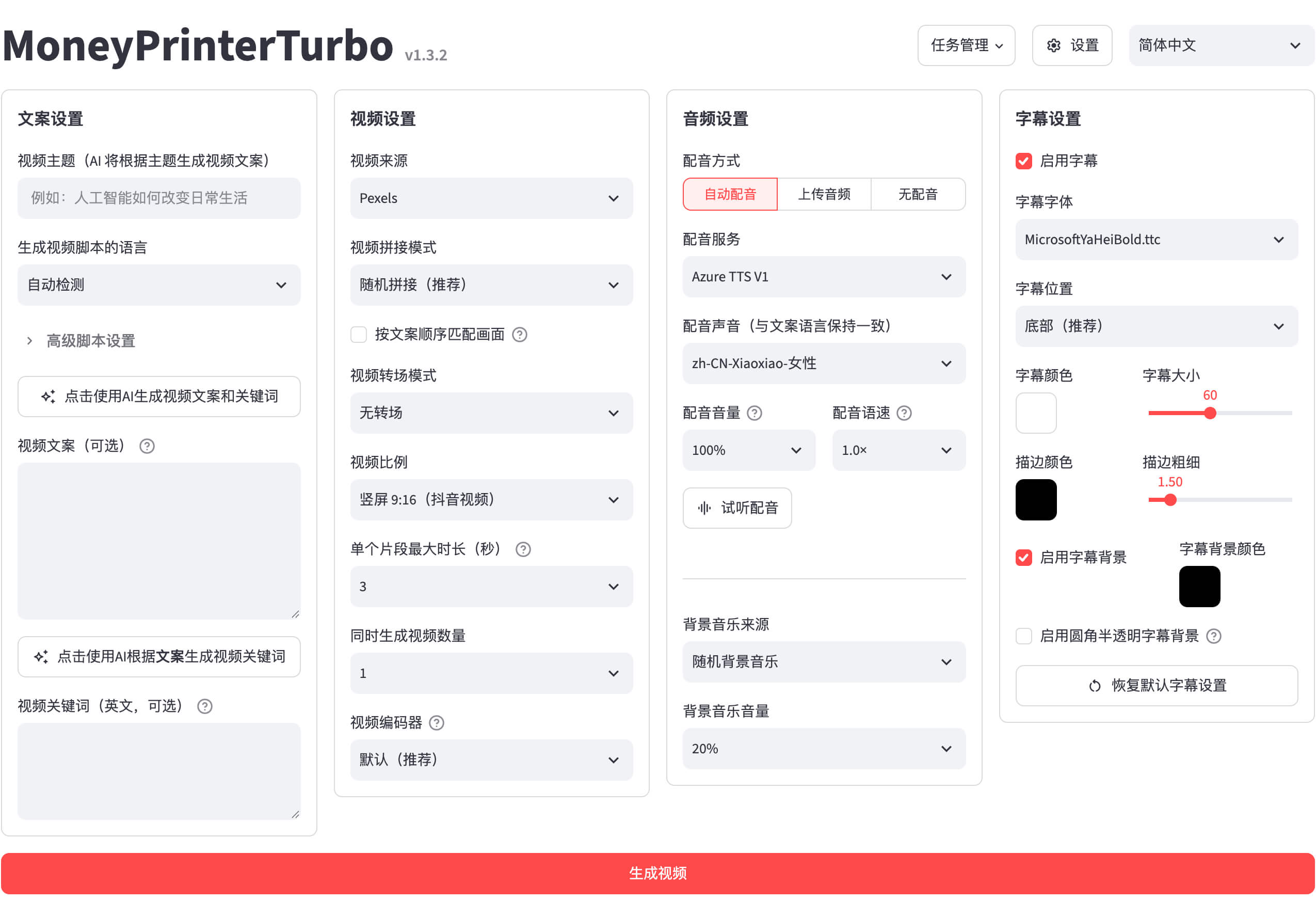
1. The Core Bottleneck: What Engineering Flaws Does It Smash?
Automated video production has long suffered from toolchain fragmentation. Building a batch-generation pipeline typically requires manually stitching together text generation APIs, visual keyword extraction scripts, third-party stock scrapers, text-to-speech engines, and FFmpeg multiplexers. A single API change or timeout breaks the entire batch. MoneyPrinterTurbo abandons this fragile black-box stitching in favor of unified agent orchestration and modular API interfaces, collapsing complex creative workflows into deterministic data streams.
💡 Architectural Insight: By directly binding LLM long-context retrieval with multimedia generation primitives, this architecture eliminates tedious intermediate data cleaning found in traditional editing pipelines, achieving end-to-end state-machine-managed execution.
2. Core Architecture and Underlying Data Flow
MoneyPrinterTurbo adopts a decoupled frontend-backend design with task queues. The WebUI or CLI serves as the entry point, passing user instructions to the backend parser for keyword enrichment. Large language models output timestamped structured scripts and precise retrieval terms, which the task dispatcher then pushes to the execution engine.
[ Client / CLI / WebUI ] ---> [ Gateway / Parser ] ---> [ LLM Orchestrator (Kimi/DeepSeek) ]
                                                                   │
                                                                   ▼
[ Video Composer (FFmpeg) ] <--- [ Media Router (Minimax/OpenAI) ] <--- [ Task Dispatcher ]
At the execution layer, the system adapts to different backend providers via loose coupling. Text processing, speech synthesis, and image/video generation are abstracted through standardized interfaces. Whether leveraging Volcengine codecs or APItask polling, components are wrapped in unified policy classes, ensuring core orchestration code remains untouched when switching models.
3. Technology Selection and Hardcore Performance Benchmark
| Dimension | MoneyPrinterTurbo | Traditional Custom Scripts | Commercial SaaS Solutions | Production Benefits |
|---|---|---|---|---|
| Architecture | Modular API orchestration & async queues | Fragile shell scripts & manual file movement | Closed web applications | Supports massive batch scaling & private deployment |
| Model Support | Native OpenAI compatibility & aggregators | Locked to single proprietary SDK | Fixed proprietary models | Eliminates vendor lock-in, switch models freely |
| Cost Model | Lightweight Python service, Docker-ready | Heavy local GPU workstation required | Expensive enterprise subscriptions | Zero local GPU overhead, pay-as-you-go cloud APIs |
| Extensibility | Open-source, plug-and-play components | Rigid, monolithic codebase | Closed APIs, uncustomizable workflows | Developers can integrate custom TTS/SFX within hours |
Benchmark results indicate that MoneyPrinterTurbo balances low deployment barriers with absolute control over the production pipeline. While traditional solutions tie teams to single ecosystems, this open-source architecture empowers developers to optimize cost and output quality dynamically.
4. Hands-On Geek Guide: Building a Minimal Closed-Loop
Deploying MoneyPrinterTurbo locally requires Python 3.10 or above. Execute the following commands to clone the repository and install dependencies:
# Clone the official repository
git clone https://github.com/harry0703/MoneyPrinterTurbo.git

# Navigate to the workspace directory
cd MoneyPrinterTurbo

# Create and activate Python virtual environment
python -m venv venv
source venv/bin/activate

# Install core runtime dependencies
pip install -r requirements.txt
After installing dependencies, copy the configuration template and provide your API keys. Below is the minimal Python script executing the core generation loop:
# Import MoneyPrinterTurbo core workflow modules
from app.config import config
from app.services import workflow

def run_minimal_pipeline():
    # Define video topic and core parameters
    video_topic = "How Artificial Intelligence Rewrites Modern Software Engineering"

    # Initialize configuration context
    cfg = config.load()

    # Trigger end-to-end async generation workflow
    print(f"[INFO] Initializing generation task for topic: {video_topic}")
    task_id = workflow.start_generation_task(
        topic=video_topic,
        language="en",
        voice_name="en-US-JennyNeural"
    )

    print(f"[SUCCESS] Task submitted successfully. Task ID: {task_id}")

if __name__ == "__main__":
    run_minimal_pipeline()
Running this script returns a task submission status code. The system automatically invokes the LLM for storyboard scripts, pulls media files via configured voice and video interfaces, and outputs a complete MP4 video.
5. Production Gotchas and Mitigation Strategies
⚠️ Gotcha: Async API Polling Timeouts: When processing long videos or high-concurrency batch tasks, third-party video generation APIs often experience queue congestion. Mitigation involves implementing exponential backoff retry logic at the task scheduling layer and breaking large rendering jobs into parallel segments.
⚠️ Gotcha: Runaway Token Billing: Using long-context models without truncating input keyword lengths can trigger massive API expenses. Mitigation requires enforcing strict token spending caps at the gateway layer and statically caching high-frequency prompt templates.
Production stability relies on tolerating vendor latency. Developers should configure dedicated local caching directories for audio synthesis and video rendering nodes to prevent intermediate media loss during network jitters.