
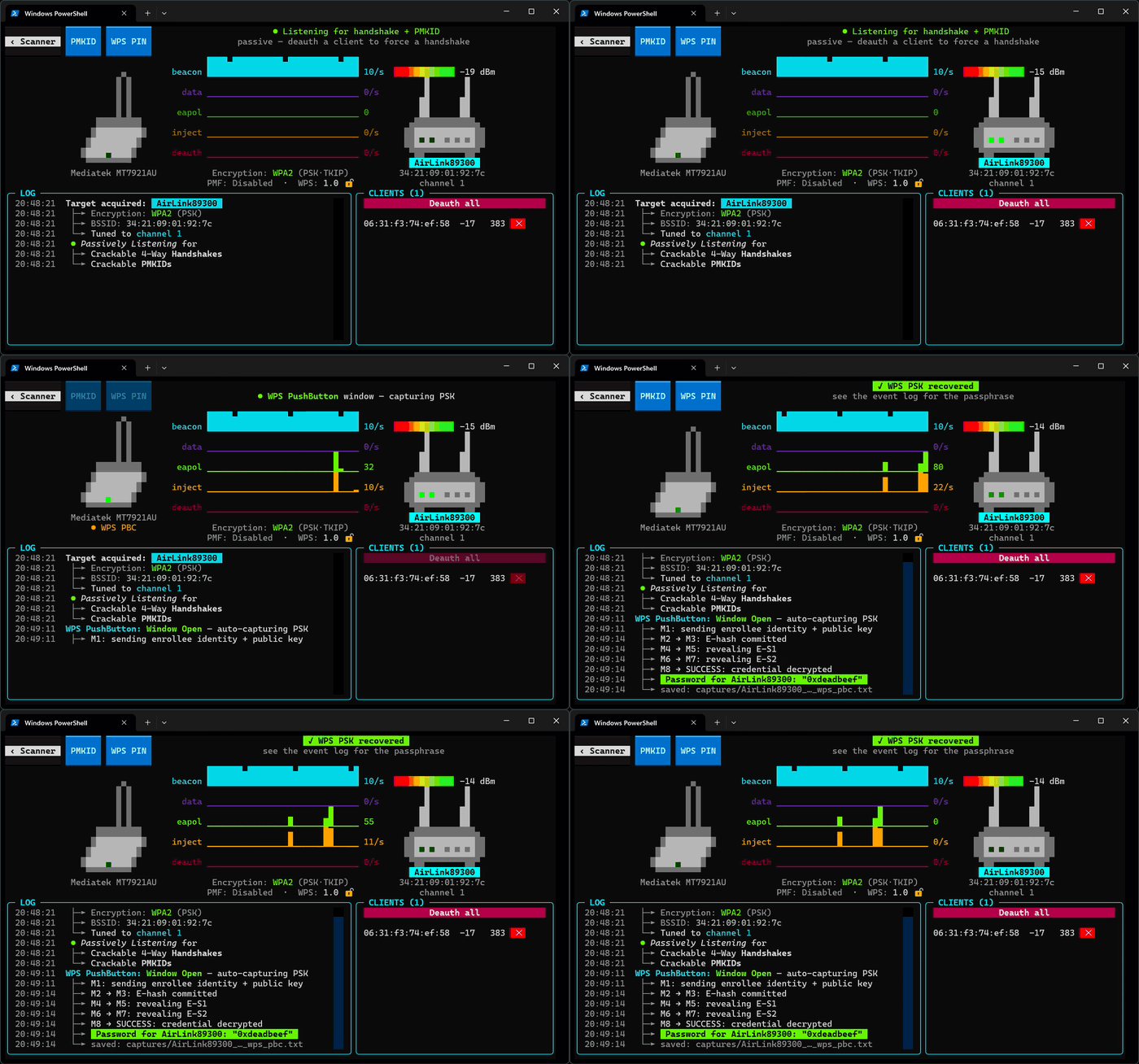
1. The Core Bottleneck: What Engineering Deadlocks Does It Break?
For a long time, wireless security auditing and protocol analysis have been tightly coupled with specific operating system kernel driver ecosystems. Developers face a chaotic landscape of locked kernel driver versions on Linux, struggle with complex NDIS architectures on Windows, and encounter tightening monitor mode restrictions on modern macOS versions. Traditional solutions rely heavily on compiled toolchains like aircrack-ng, imposing extremely high environment setup costs. wifit3 changes this paradigm by pushing the underlying wireless protocol stack down into user space, completely escaping the constraints of operating system native stacks.
💡 Core Architectural Insight: By directly parsing and controlling USB transport layers via Python, wifit3 reduces complex kernel driver compatibility issues to a pure user-space hardware communication problem.
2. Core Architecture & Underlying Data Flow Analysis
The core runtime logic of wifit3 is built upon a highly decoupled component design. Instead of reusing heavy system-level network interfaces, it exercises direct register-level control over supported USB wireless chipsets (such as Atheros, MediaTek, Realtek, Ralink, etc.) via PyUSB. The entire runtime consists of a Textual-driven terminal user interface (TUI), a multi-card aggregation scheduler, and embedded user-space chip mini-drivers.
[ USB Hardware ] <---> [ User-Space Mini-Drivers ] <---> [ Multi-Card Aggregator ]
                                                               │
                                                               ▼
[ Export Engine (.pcap/.hc22000) ] <---> [ Packet Dashboard ] <---> [ Textual TUI Engine ]
Within the underlying data flow, the multi-card aggregator dynamically executes channel hopping across 2.4GHz and 5GHz bands. Raw captured frames bypass the operating system network stack filters, flowing directly into the user-space parser to render real-time beacon, data injection, and deauthentication packet rates in the dashboard. For complex attack scenarios, the system automatically coordinates single or multi-card combinations to lock onto targets and replay data frames.
3. Technology Selection & Hardcore Performance Benchmark
| Evaluation Dimension | This Solution (wifit3) | Traditional Paradigm (Aircrack-ng Suite) | OS-Specific Script Tools | Production Yield |
|---|---|---|---|---|
| Dependency Complexity | Zero external binary dependencies, pure Python & PyUSB | Relies on dynamic libs, toolchains, & binaries | Tightly bound to specific Linux distro kernels | Deployment time reduced from hours to seconds |
| Cross-Platform Support | Fully uniform across Linux, Windows, & macOS | Best on Linux, extremely painful on Windows | Restricted to a single operating system environment | Complete unification of operations toolchains |
| Driver Control Plane | User-space register control, immune to kernel updates | Heavily dependent on kernel driver versions & patches | Dependent on native OS wireless card drivers | Total emancipation from destructive kernel updates |
| UI & Interaction | Modern TUI with real-time rate & panel telemetry | Traditional CLI output, verbose and hard to monitor | Basic text output or headless interfaces | Enhanced complex task monitoring & debugging efficiency |
| Hardware Compatibility | Built-in mini-drivers for mainstream USB chipsets | Relies on system-level promiscuous mode & capture APIs | Supports only a narrow whitelist of card hardware | Substantial reduction in hardware procurement costs |
This technology selection demonstrates remarkable engineering restraint. By abandoning blind adaptation to system-level network stacks and instead directly taking over USB control transfers, project maintainers bypass countless maintenance black holes deeply tied to kernel versions.
4. Hands-on Geek Guide: Zero-to-One Minimal Closed-Loop
Deploying wifit3 in production or testing environments is best achieved using Astral's uv toolchain for isolated execution. The following steps demonstrate the complete pipeline from source synchronization to runtime startup.
# Step 1: Clone the official repository to local development environment
git clone https://github.com/derv82/wifit3.git

# Step 2: Navigate into the project root directory
cd wifit3

# Step 3: Synchronize and lock project dependencies using the uv toolchain
uv sync

# Step 4: Launch the wifit3 interactive terminal user interface
uv run wifit3
Upon startup, the program presents an adapter selector on the splash screen. After clicking the START button, Linux automatically writes udev permissions and modprobe blacklist rules via pkexec/sudo, while Windows binds WinUSB via UAC, eliminating manual configuration of complex system parameters.
5. Production Deployment Gotchas & Mitigation Strategies
When deploying this tool into real engineering environments, physical limitations of hardware and virtualization layers must be respected to avoid configuration traps.
⚠️ Gotcha Warning [Missing VirtualBox USB Filters]: If running wifit3 inside a VirtualBox or VMware virtual machine, ensure the target USB wireless adapter is explicitly checked in the virtual machine's USB device filters before powering on the host VM. Otherwise, the application will fail to enumerate any supported hardware devices upon startup.
⚠️ Gotcha Warning [Native System Driver Conflict]: In Linux environments, if the network card is continuously claimed by system network managers (like NetworkManager), user-space mini-drivers will be blocked from exclusively owning the USB endpoint. Ensure you allow writing udev rules when prompted by the application dialog, or manually unbind the network interface from network services before execution.