
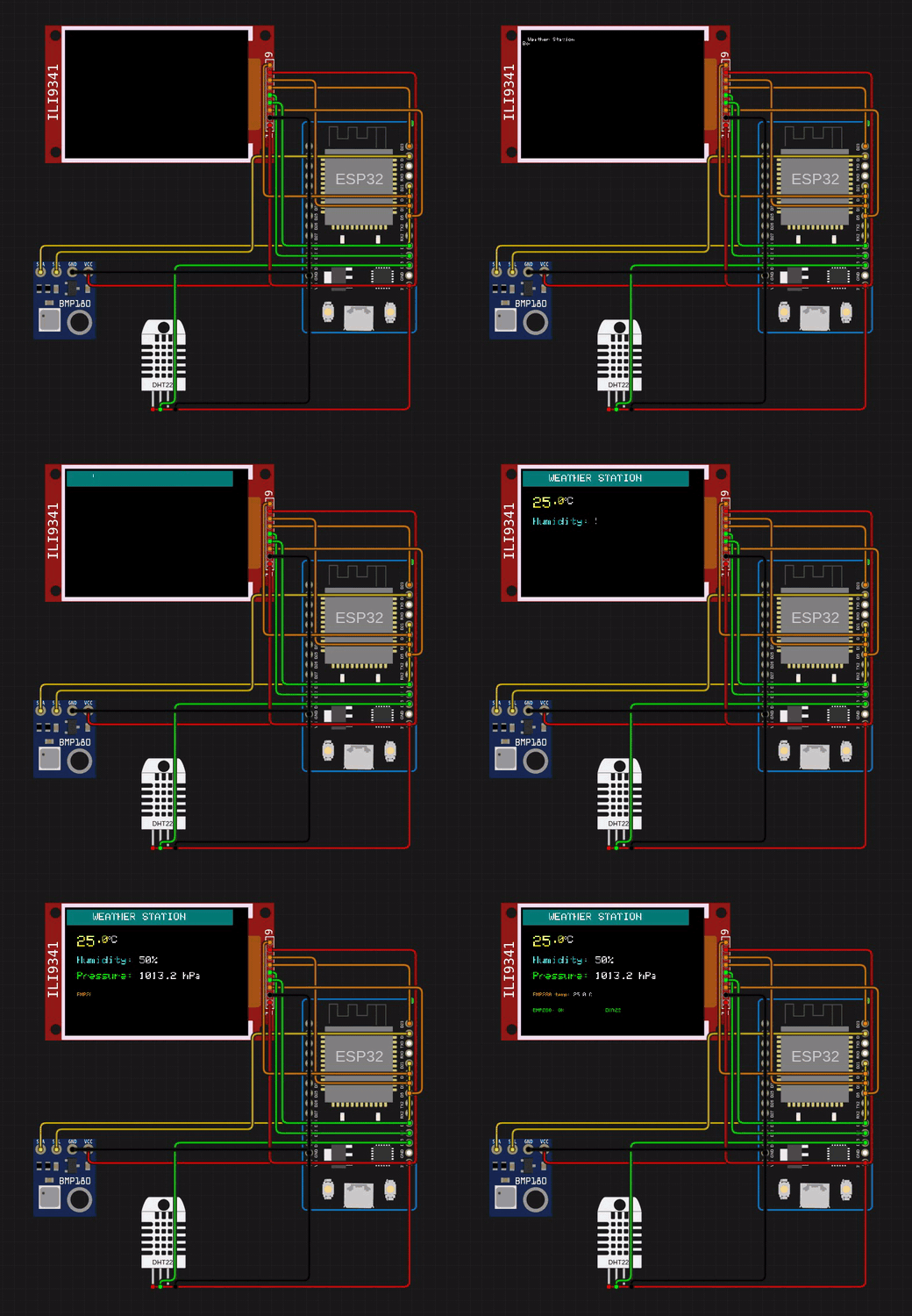
1. The Core Bottleneck: What Engineering Flaw Does It Fix?
Embedded systems development has long been constrained by physical hardware limitations. Sourcing prototype boards incurs long shipping delays, wiring multiple sensors on breadboards is tedious, laboratory instruments like oscilloscopes are expensive, and incorrect pin wiring can permanently fry silicon. Traditional desktop simulation tools are often closed-source and fragmented, failing to meet modern web-driven agile workflows. Velxio bridges this gap by embedding full CPU instruction-set emulators and circuit simulation directly into the browser, supporting AVR8, ARM Cortex-M, Xtensa LX6/LX7, RISC-V, and ARM Cortex-A Linux architectures without physical constraints.
💡 Architectural Insight: Velxio bypasses purely behavioral logic mocks, instead executing real CPU instruction decoding and multi-bus concurrent simulation inside the web sandbox, bringing near-bare-metal fidelity to web-based embedded engineering.
2. Core Architecture & Underlying Data Flow
Velxio relies on close coordination between the browser editor, backend compilation clusters, and low-level multi-core CPU emulation cores. After writing source code in the Monaco editor, the frontend triggers cross-compilation inside containerized worker nodes. The resulting binaries feed directly into virtual CPU instances while simultaneously driving peripheral state machines and bus protocols on the circuit canvas.
[ Monaco Editor ] ---> [ Build Gateway / Parser ] ---> [ Cross-Compiler Cluster ]
                                                              │
                                                              ▼
[ Oscilloscope / Canvas ] <--- [ Peripheral Bus ] <--- [ CPU Emulation Engine ]
For self-hosted deployments, mounting Docker named volumes is essential for maintaining acceptable build speeds. Omitting volumes for /root/.arduino15, /var/cache/ccache, and /var/lib/velxio-build wipes the ESP-IDF build cache on every container restart, driving initial compile times from 30 seconds up to 7 minutes.
3. Hardcore Technical Benchmarking
| Evaluation Dimension | This Solution (velxio) | Traditional Paradigm (Proteus/Keil) | Standalone Simulators (QEMU) | Production Yield |
|---|---|---|---|---|
| Runtime Environment | Browser zero-install / Docker self-hosted | Windows-only desktop client | CLI-heavy, complex configuration | Cross-platform multi-user collaboration, eliminates environment setup pain |
| Hardware Support | 40+ boards, 150+ interactive parts | Requires paid commercial licenses | Incomplete peripheral emulation for MCUs | Covers complex IoT prototyping use cases |
| Bus Concurrency | Simultaneous I2C, SPI, UART simulation | Limited multi-bus debugging | Lacks visual circuit canvas and instruments | Detects bus timing conflicts and wiring shorts |
| Extensibility | Write custom ICs in C, compile to WASM | Closed ecosystem, difficult plugin APIs | Requires modifying engine source code | Developers can mock arbitrary niche chips |
Velxio sidesteps the licensing overhead of legacy desktop tools, combining the frictionless nature of WebAssembly with Docker container scalability to balance browser-side agility with server-side throughput.
4. Hands-on Geek Guide: Zero to Minimal Loop
Deploy Velxio locally via Docker using the official production run command:
docker run -d \
  --name velxio \
  -p 3080:80 \
  -v velxio-data:/app/data \
  -v velxio-arduino-libs:/root/.arduino15 \
  -v velxio-arduino-user-libs:/root/Arduino \
  -v velxio-ccache:/var/cache/ccache \
  -v velxio-build:/var/lib/velxio-build \
  ghcr.io/davidmonterocrespo24/velxio:master
-d: Runs the Docker container in detached daemon mode in the background.--name velxio: Assigns a predictable container name for management and log inspection.-p 3080:80: Maps host port 3080 to the internal container web server port 80.-v velxio-data:/app/data: Persists user project files and configuration data.-v velxio-arduino-libs&-v velxio-arduino-user-libs: Mounts official Arduino cores and user libraries to avoid redundant downloads.-v velxio-ccache&-v velxio-build: Persists compiler caches and build outputs, reducing subsequent compile times to 5–30 seconds.
Once the container starts, open http://localhost:3080 to access the editor. Monitor build worker output logs in real-time using docker logs -f velxio.
5. Production Gotchas & Avoidance Strategies
Architects integrating Velxio into engineering pipelines must account for functional boundaries between self-hosted images and cloud instances to prevent workflow disruptions.
⚠️ Gotcha Warning: Image Feature Parity: The self-hosted Docker image ships strictly with Arduino, Raspberry Pi Pico, and ESP32 families. If your team requires STM32, Raspberry Pi Linux, ESP32-C6, or partner hardware boards, you must use the hosted instance at
velxio.devas those modules are excluded from the local container image.⚠️ Gotcha Warning: Missing Cache Volumes: Never omit the five named volume mount arguments during container creation. Dropping them means any
docker restartdestroys the ESP-IDF build cache, forcing subsequent compiles to take 5 to 7 minutes.
By correctly provisioning volumes and recognizing cloud-versus-local boundaries, Velxio serves as a reliable rapid-prototyping backbone for IoT engineering teams.