
1. The Core Bottleneck: What Engineering Wall Does It Break?
Traditional geospatial visualization systems are often bogged down by exorbitant commercial licensing fees, tedious GIS middleware configurations, and severely fragmented data sources. Developers aiming to render a digital earth with real-time situational awareness in the browser typically face difficult trade-offs between commercial SDKs like Cesium and Mapbox, while manually writing proxy services to interface with ADS-B flight, AIS marine, and orbital telemetry feeds.
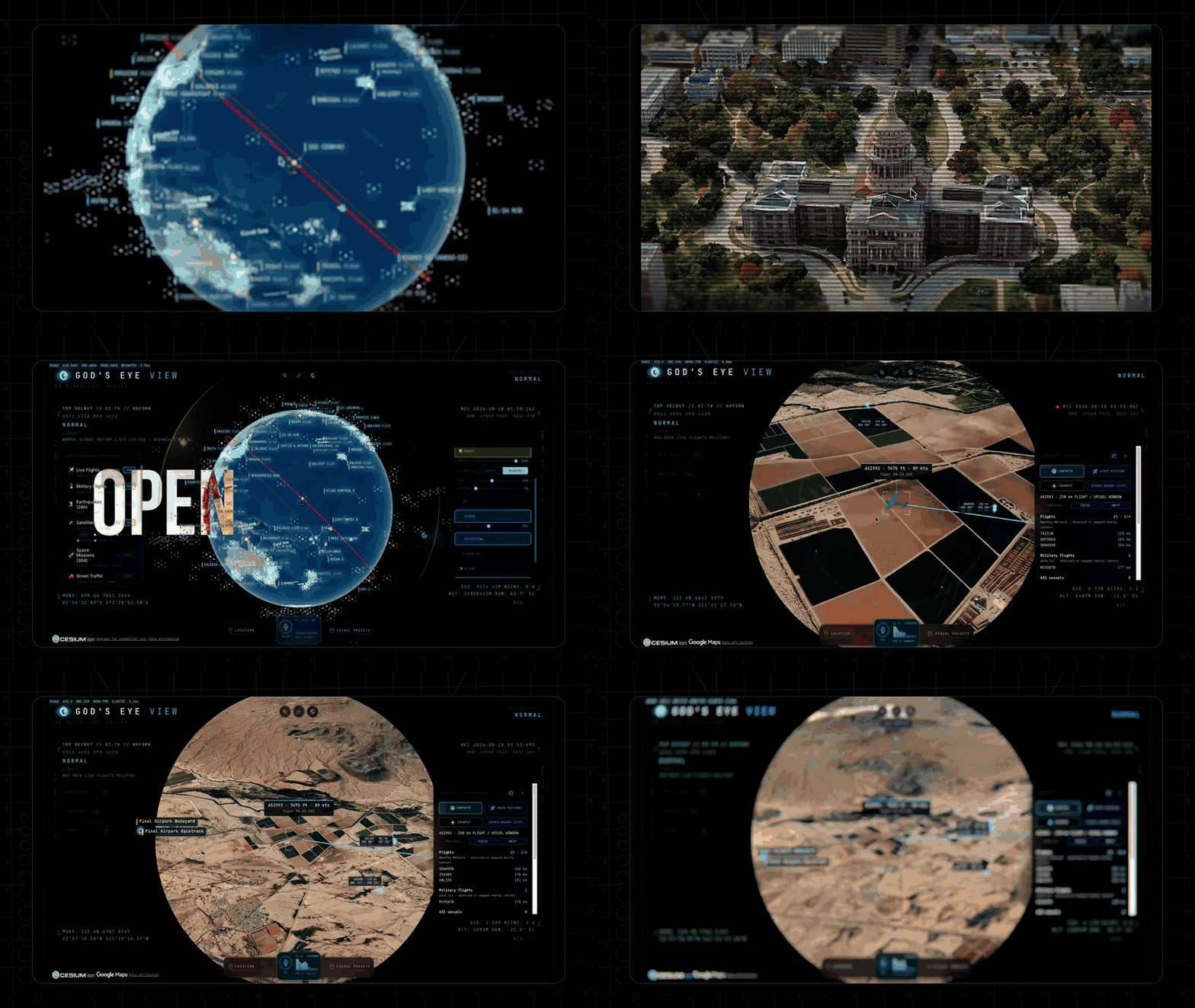
Gods-Eye-View breaks this heavy architecture paradigm. By aggregating disparate public telemetry streams directly into a single web client and leveraging browser-side WebGL and GLSL shaders for high-performance rendering, it shifts workloads previously reserved for heavy simulation workstations. Developers can bootstrap a baseline 3D scene without pre-approving expensive API keys, dramatically lowering the barrier to entry for spatial computing.
💡 Core Architectural Insight: By abstracting heterogeneous geographic data streams into independent, hot-swappable micro-frontend modules and handling coordinate projection directly on the client, Gods-Eye-View proves that modern browsers can fully sustain macro-situational visualization tasks.
2. Core Architecture & Underlying Data Flow
Gods-Eye-View adopts a decoupled, modular topology. The core layers consist of a data ingestion gateway, a spatial indexing layer, a state machine manager, and a frontend rendering pipeline. During runtime, various telemetry sources feed into local parsers via standard protocols, where a memory-based state machine cleanses the data to drive the 3D globe layers directly.
[ Public Data Feeds: ADS-B / AIS / GFS ]
                  │
                  ▼
    [ Local Client Ingestion Gateway ]
                  │
                  ▼
       [ Client-Side State Machine ]
                  │
         ┌────────┴────────┐
         ▼                 ▼
[ Spatial Indexing ]  [ GLSL Shaders / UI HUD ]
In terms of engineering trade-offs, Gods-Eye-View deliberately avoids persisting massive historical telemetry into heavy relational databases. The system employs an in-memory transient state maintenance strategy with sliding windows, calculating movement trajectories, seismic waveforms, and satellite orbital predictions dynamically on the client. While sacrificing deep historical replay capabilities, this yields exceptionally low memory footprints and millisecond-level interface responsiveness.
3. Technology Selection & Hardcore Benchmarking
| Dimension | Gods-Eye-View | Traditional GIS Commercial Stack | Custom Cesium Stack | Production Benefits |
|---|---|---|---|---|
| Initial Boot | Zero-key startup; Pinokio client supported | Requires enterprise contracts & heavy tokens | Requires self-hosted tile servers and proxies | Eliminates upfront business negotiation and quota exhaustion risks |
| Data Integration | Native aggregation of flights, ships, quakes | Base map frameworks only; external procurement | Requires custom scrapers for open APIs | Saves hundreds of hours on cross-protocol data cleaning |
| Rendering Performance | Client-side GLSL shaders for visual filters | Cloud render farms or heavy desktop clients | Manual optimization required to prevent VRAM leaks | Sustains stable 60 FPS on standard client hardware |
| Deployment Complexity | Single command terminal or desktop runner | Complex Kubernetes cluster management & DevOps | Complex Webpack/Vite build pipeline setup | Reduces environment initialization time to under 5 minutes |
The design philosophy here shifts computational gravity toward the edge. By heavily relying on modern browser graphics capabilities, the system strips away strict dependencies on centralized backend services, ensuring high resilience against single-point failures.
4. Hands-On Geek Guide: Building the Minimal Loop
To bootstrap Gods-Eye-View locally, developers can use the Pinokio client or run directly from the source repository. The following steps outline a local Unix terminal deployment.
Clone the official repository and install dependencies:
# Clone the official repository
git clone https://github.com/bilawalsidhu/gods-eye-view.git

# Navigate to project root
cd gods-eye-view

# Install locked package dependencies
npm install
Initialize the development server via TypeScript entry logic:
// Server bootstrap logic representation (server.ts)
import { createServer } from 'http';
import { app } from './src/app';

const PORT = process.env.PORT || 3000;

// Initialize multi-source telemetry proxy and local WebSocket listener
const server = createServer(app);
server.listen(PORT, () => {
  console.log(`[Gods-Eye-View] Core telemetry engine running at http://localhost:${PORT}`);
});
Run the development build command:
# Start hot-reloading development server
npm run dev
Once started, navigate to http://localhost:3000 in your browser to load the default Esri satellite base map, and the system will automatically begin ingesting public flight and seismic telemetry.
5. Production Deployment Gotchas & Avoidance Strategies
When deploying Gods-Eye-View for operational monitoring or extension, engineers must account for specific architectural boundaries. Full-client rendering under massive concurrent data feeds can impose severe strains on the V8 engine and browser memory.
⚠️ Gotcha Warning [Public Overpass Server Rejection]: Older versions of Gods-Eye-View query public OpenStreetMap Overpass servers for traffic and infrastructure installations. Running unpatched older releases will result in immediate connection refusals from public nodes, leaving traffic and installation layers blank. The remedy is to pull upstream updates and upgrade local dependency packages regularly.
⚠️ Gotcha Warning [Cesium Ion & Google Maps Quota Management]: While the system runs keyless out of the box, developers opting to plug in Cesium Ion Tokens or Google Maps keys for high-precision 3D terrain must enforce strict domain whitelists and daily quota limits on their provider dashboards to prevent accidental overages from unexpected traffic spikes.