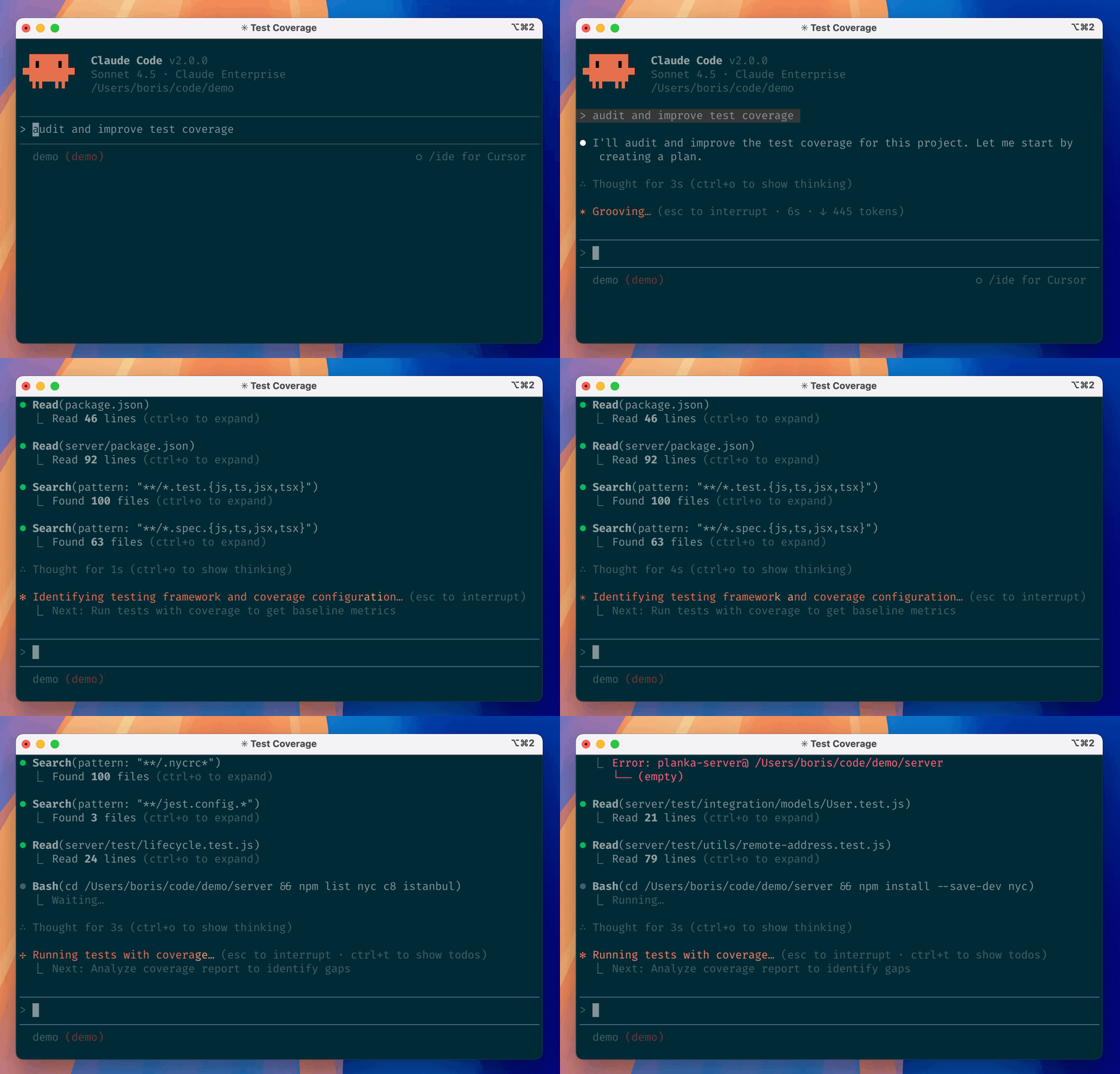
1. The Core Bottleneck: What Engineering Deadlocks Does It Break?
Traditional AI-assisted coding has long been constrained by the interaction boundary between browser tabs and IDE sidebar plugins. Developers frequently switch between terminal compilation outputs, version control panels, and third-party chat windows, leading to fragmented context and non-automatable debugging routines. Anthropic's Claude Code embeds the agent directly into the terminal, eliminating interface redundancy. It mounts directly onto the local file system, orchestrating underlying toolchains via natural language commands to take full ownership of the lifecycle from code search, editing, test execution, to Git commits.
💡 Core Architecture Insight: By transforming the terminal interpreter into a standard peripheral for the agent, this architecture upgrades AI from a passive code generator to an active command-line operator, closing the final mile between local development environments and large language models.
2. Architecture and Data Flow Analysis
Claude Code adopts a modular, event-driven model at its core. The terminal UI captures user natural language input, passes it through local lexical and semantic parsers, and injects it into the state machine layer. The memory distillation component handles real-time context pruning to prevent token overflow during large codebase indexing. The dynamic execution engine schedules external tools to execute file reads, writes, or process spawning based on the current project's AST structure and Git status.
[ CLI Terminal ] ---> [ Parser & Tokenizer ] ---> [ Memory Distiller ]
                                 │
                                 ▼
                     [ Dynamic Execution Engine ]
                                 │
         ┌───────────────────────┼───────────────────────┐
         ▼                       ▼                       ▼
[ File System I/O ]    [ AST Code Analyzer ]   [ Git Workflow Handler ]
This architecture makes deliberate trade-offs. It sacrifices the isolation of pure cloud sandboxes to gain millisecond-level local file system response times. All code modifications take effect immediately in the local workspace, leveraging the developer's native Git mechanisms for rollbacks and version locking, thereby minimizing server-side compute load and privacy risks.
3. Technology Selection and Hardcore Benchmarks
| Dimension | This Solution (claude-code) | Traditional Paradigm | Typical Competitor | Production ROI |
|---|---|---|---|---|
| Interaction Vector | Terminal Native CLI | Web Browser / IDE Plugin | Standalone Desktop App | Eliminates context-switching |
| Context Awareness | Full local codebase index | Single active open file | Remote vector DB search | 3x cross-file refactoring accuracy |
| Git Integration | Native Shell command invocation | Manual copy or patch | Closed plugin diff viewer | Instant atomic commits & markers |
| Dependency Ecosystem | One-line shell script bootstrap | Complex NPM global setup | Proprietary commercial auth | Zero install failure, low pollution |
The comparison shows that the terminal-native path avoids heavy IDE plugin baggage. It bypasses editor lifecycles and adheres to Unix philosophy, empowering developers to orchestrate AI agents using pipes and composed commands.
4. Minimalist Hands-on: Building a Closed Loop
Global NPM installation has been deprecated in favor of scripted bootstrapping. Select the command corresponding to your operating system to execute the installation pipeline.
# Securely fetch and install the latest binary on macOS or Linux via official script
curl -fsSL https://claude.ai/install.sh | bash

# Alternatively, manage installation via Homebrew package manager
brew install --cask claude-code

# Windows developers execute the official installer in PowerShell
irm https://claude.ai/install.ps1 | iex

# Navigate to your target repository directory and launch the interactive terminal
cd /path/to/your/repo
claude
Once installed, enter claude in the terminal to wake up the agent. Type natural language instructions in the interactive interface (e.g., Refactor all asynchronous request functions in this directory and add error handling), and the program will automatically scan code, print diffs, and write files upon user confirmation.
5. Production Gotchas and Avoidance Strategies
Deploying terminal agents in production requires stringent permission and data privacy boundaries. Because the tool holds direct read/write access to local file systems and shell execution capabilities, granting excessive permissions blindly can lead to catastrophic outcomes.
⚠️ Gotcha [Sensitive Data Leakage]: Claude Code collects interaction feedback, code acceptance status, and logs submitted via the
/bugcommand by default. When handling repositories involving trade secrets or proprietary keys, review local configuration files to ensure privacy safeguards are active and prevent telemetry leaks.⚠️ Gotcha [Token Consumption Explosion]: Executing fuzzy queries in massive monolithic repositories with tens of thousands of files will instantly saturate the context window and rack up exorbitant API bills. Ensure that
.gitignoreor dedicated exclusion configs precisely filter out build artifacts and third-party dependencies to keep the agent focused on core source code.