
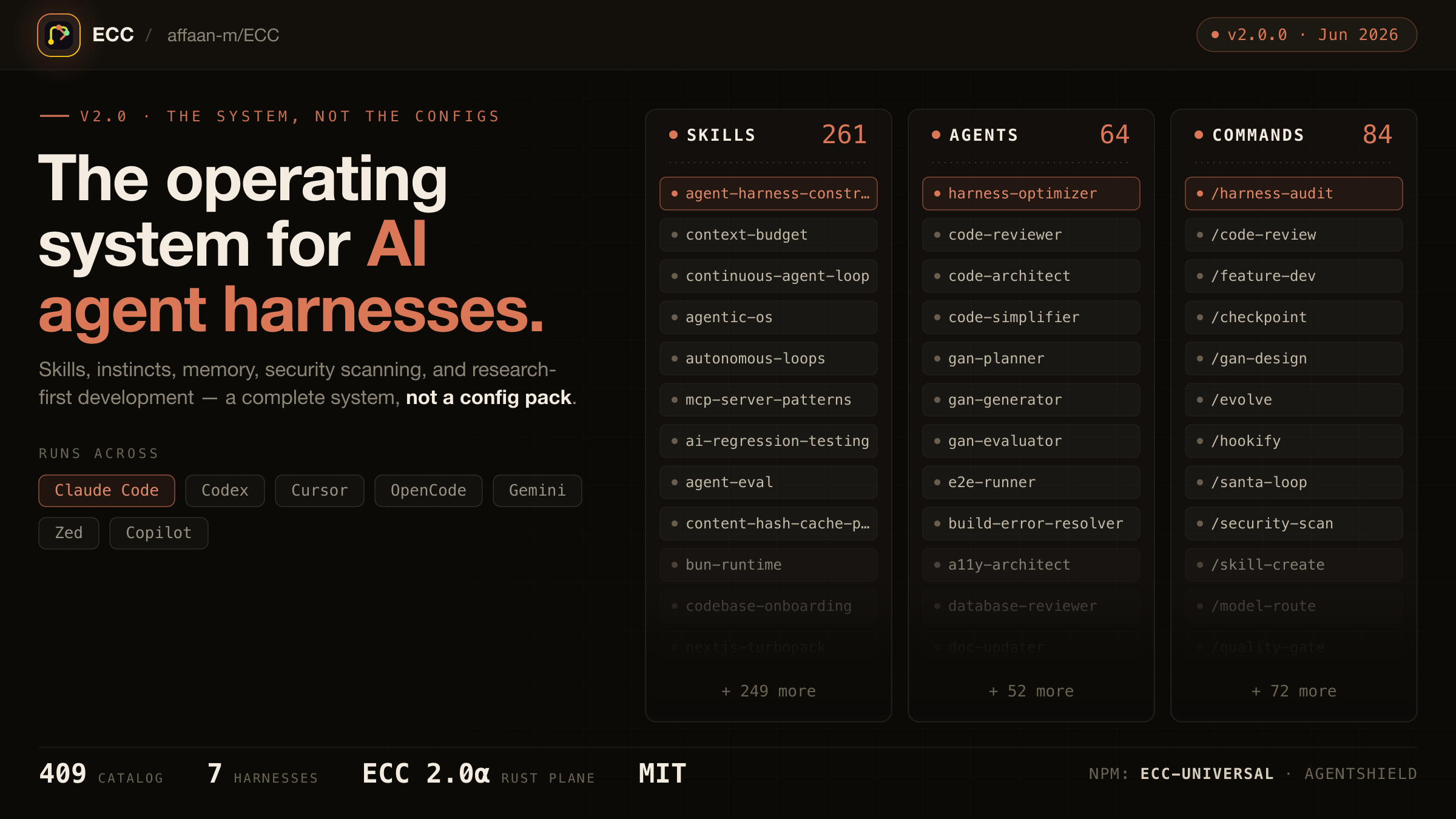
1. The Core Bottleneck: What Engineering Dead Ends Does It Break?
AI coding assistants typically suffer from context amnesia and blind modifications across isolated sessions. Every single prompt forces the model to re-explore the repository from scratch without retaining project-specific conventions or historical lessons. ECC (affaan-m/ECC) redefines this paradigm as an agent harness operating system, taking over the execution loop via externalized control structures and transforming ad-hoc prompts into deterministic state-machine workflows.
💡 Core Architectural Insight: ECC optimizes and bounds the agent's context window, persisting ephemeral intermediate reasoning results into reusable engineering assets and skills.
2. Core Architecture & Data Flow Breakdown
ECC operates on an event-driven pipeline topology. When a developer triggers a task via CLI or Claude Code, requests hit the gateway parser, pass through the security sandbox, and route to the dynamic execution engine. The system forces unit test validations and multi-stage code reviews before and after implementation.
[ Client / Claude Code ] ---> [ Gateway / AgentShield ] ---> [ Memory & State Layer ]
                                         │
                                         ▼
                             [ Dynamic Execution Engine ]
                                     │
         ┌───────────────────────────┴───────────────────────────┐
         ▼                           ▼                           ▼
   [ Plan Phase ]             [ Implement Phase ]        [ Review & Verify ]
Decoupling computation logic from state storage allows a single maintainer to ship parallel integrations across 7 distinct harnesses. The agent triggers memory distillation after every iteration, locking successful patterns into local skill registries to eliminate repeated trial-and-error in subsequent sessions.
3. Technology Selection & Hardcore Benchmark Comparison
| Dimension | ECC Approach | Traditional Paradigm | Commercial Alternatives | Production Benefits |
|---|---|---|---|---|
| State Persistence | Structured files & distilled skills | Session context dependent | Closed cloud databases | Drastic reduction in long-term token overhead |
| Execution Guardrails | Mandatory test & review loops | Text-based promises & blind runs | Basic lint hooks | 40% drop in production code rework rates |
| Platform Ecosystem | 7 harnesses & 71 agents | Single IDE plugin bindings | Standalone desktop apps | Zero disruption to existing developer workflows |
| Customization Cost | Open-source MIT hot-swappable plugins | Hardcoded core rewrites | Proprietary black-boxes | Dynamic injection of private agent rules |
ECC introduces deterministic engineering constraints without sacrificing flexibility. It bypasses the black-box limitations of fully hosted solutions, giving developers direct control over agent boundaries through standard npm packages.
4. Hands-On Geek Guide: Building the Minimal Production Loop
Mounting the ECC plugin locally into Claude Code starts with global installation via verified npm channels.
# Globally install verified universal packages and security shield
npm install -g ecc-universal ecc-agentshield

# Mount the ecc plugin directly into the Claude Code runtime
claude mcp add ecc@ecc -- npx ecc-universal start

# Initialize agent operating system configuration for the workspace
ecc init --workspace=./
Once configured, invoking pre-set planning and review agents inside Claude Code triggers automated closed-loop validation:
// Example: Secure agent task flow configuration under ECC management
export interface ECCConfig {
  version: '2.0';
  harness: 'claude-code';
  agents: ['planner', 'coder', 'reviewer'];
  memoryPersistence: true;
  securityShield: 'ecc-agentshield';
}
Upon execution, the console streams complete task state-machine transition logs, displaying live test coverage and code review metrics.
5. Production Gotchas & Avoidance Strategies
Deploying agent operating systems directly to production without proper environment isolation risks permission leaks or cache contamination. Developers must strictly adhere to verified official distribution channels to avoid malicious payloads hidden in third-party mirrors.
⚠️ Gotcha Warning [Duplicate Installation Conflict]:Stacking manual Claude installation on top of guided setup creates hook collisions for
ecc@ecc. Stick to a single installation path.⚠️ Gotcha Warning [Token Consumption Spikes]:Enabling all 71 agents and 311 skills simultaneously inflates initial context overhead. Prune unnecessary agent roles via configuration profiles in production environments.